Stock & parts
The right parts, in the right place, before departure
Manage warehouse stock, van stock, locations and parts preparation in one connected workflow. Technicians leave with what they need, while the office avoids shortages, unnecessary searches and repeat trips.
Product tour · No account needed
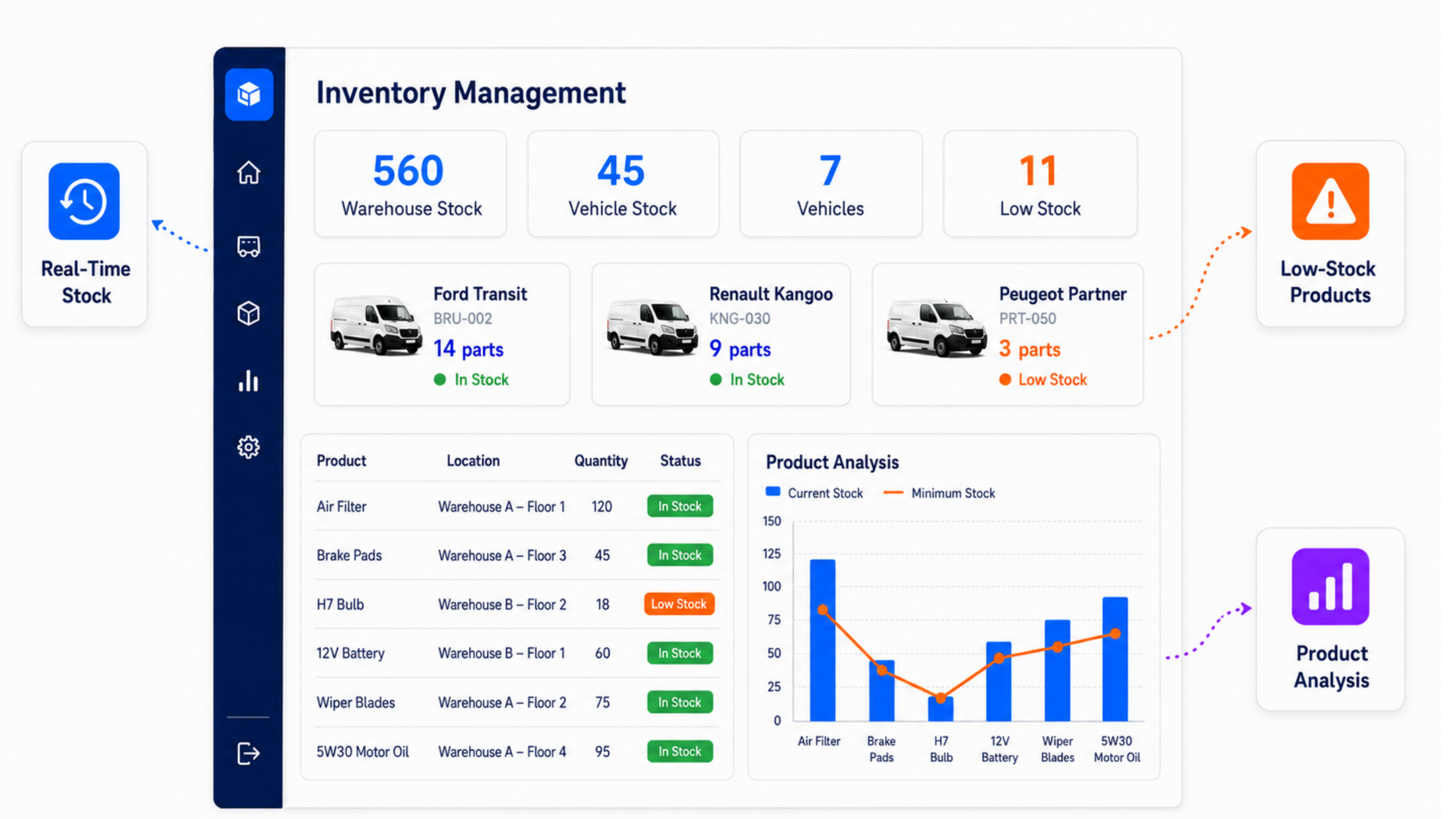
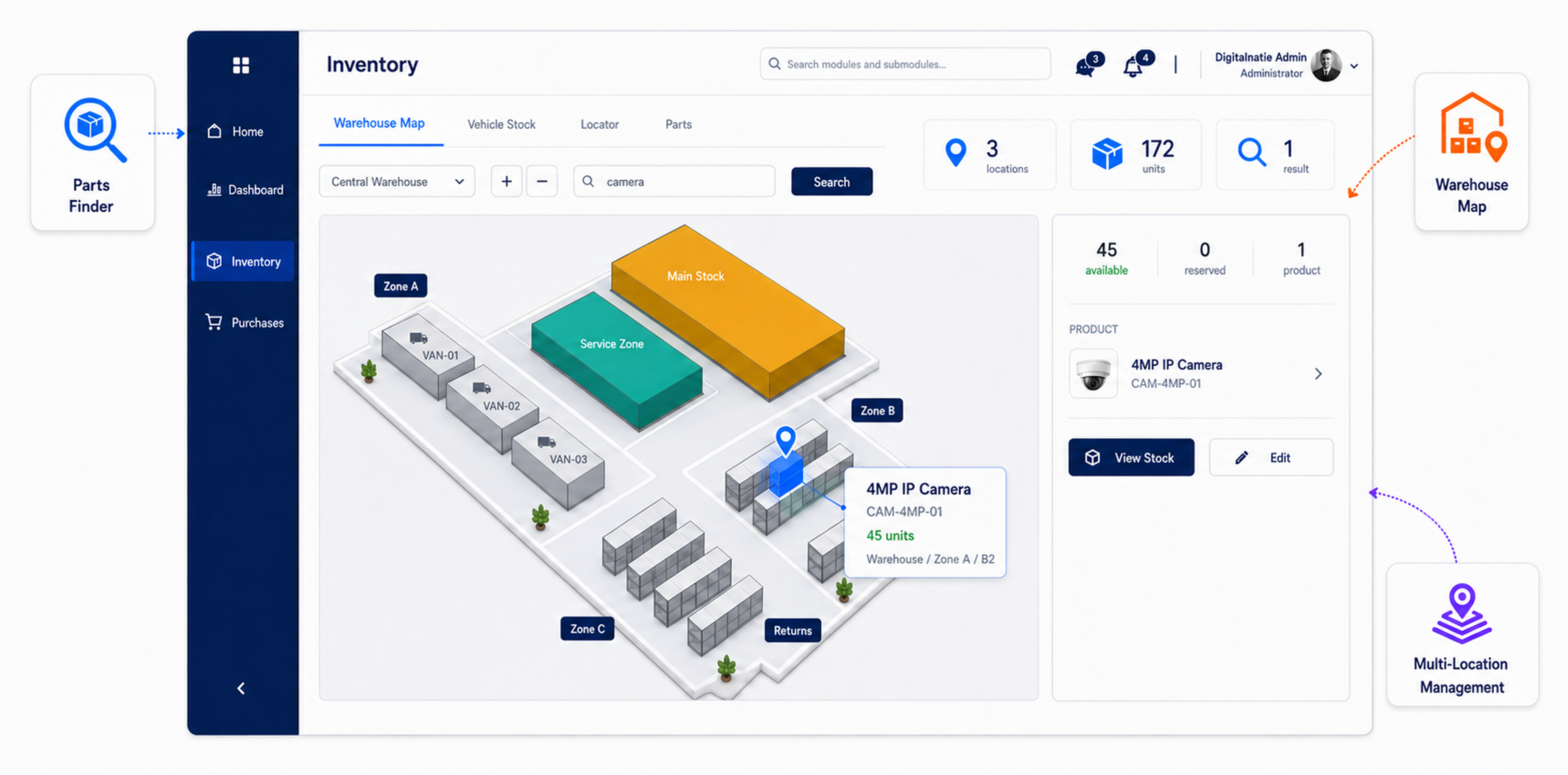
Warehouse & locations
Find every part without wasting time
Search for a product, see its exact warehouse location and check availability across multiple locations. Your team immediately knows where to collect the right part.
- Live stock by warehouse and location
- Visual warehouse map with precise product location
- Search by product, part or reference
- Available, reserved and low-stock quantities
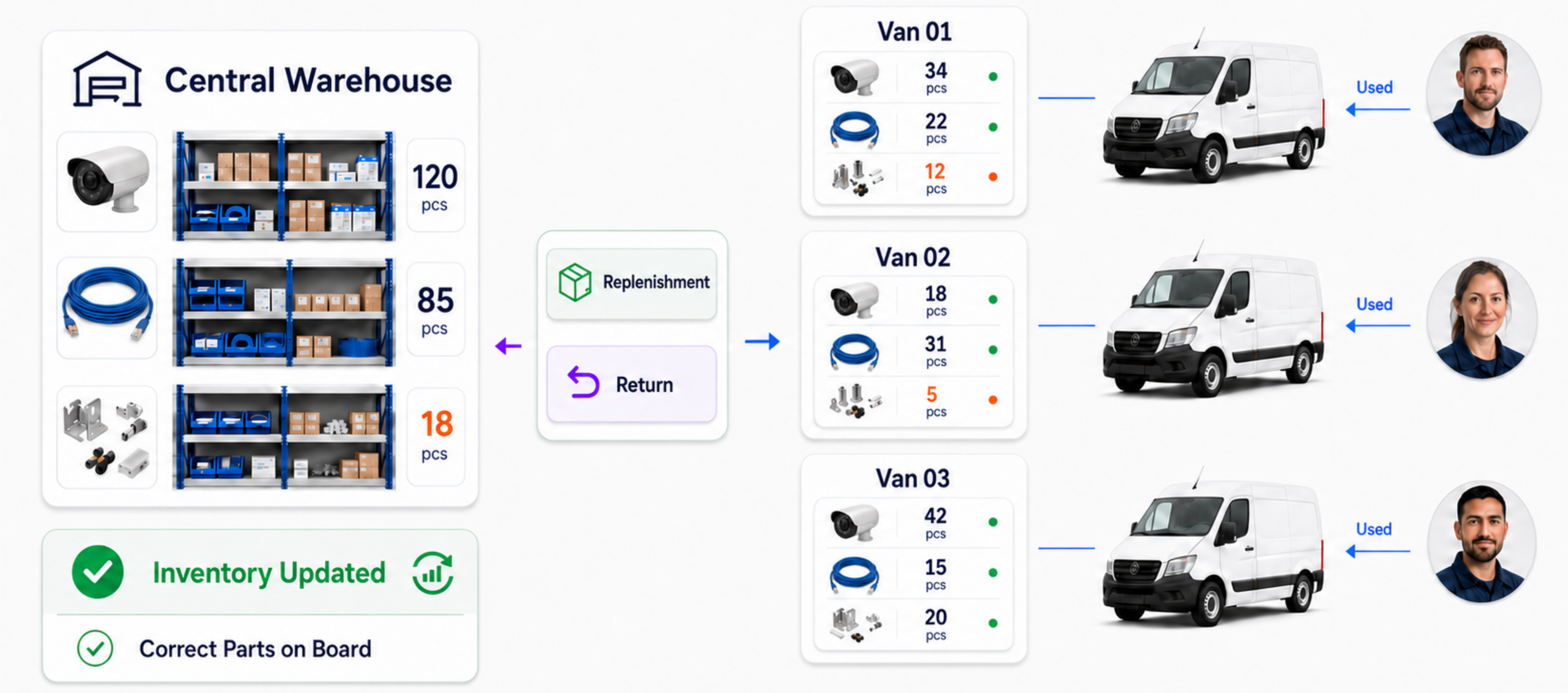
Van stock
Every van stocked correctly, every morning
Track the parts carried in every van, replenish from the central warehouse and process returns through one connected workflow.
- Stock by van and technician
- Replenishment from the central warehouse
- Correct handling of returns and consumption
- Low-stock visibility before the next intervention
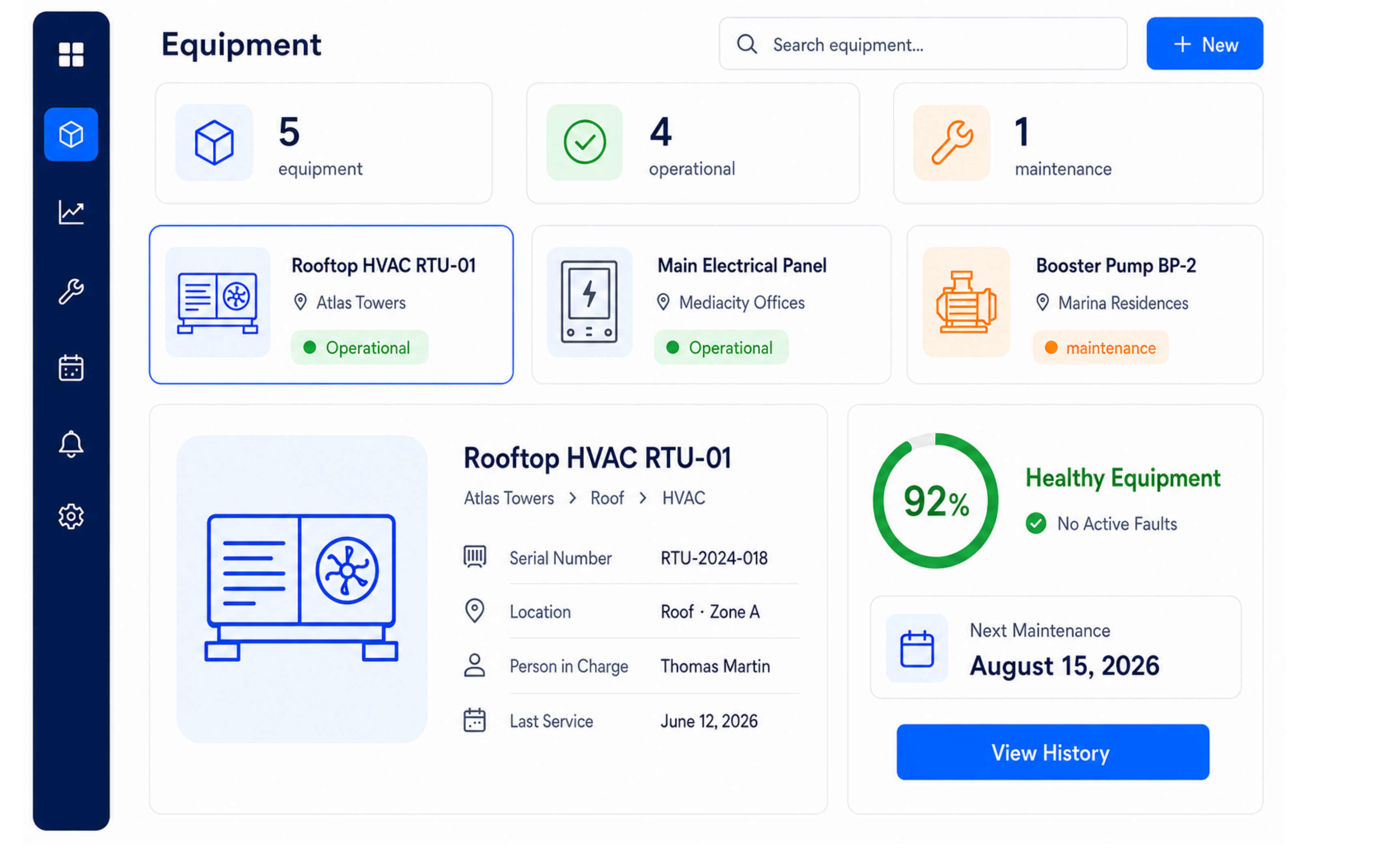
Equipment
Less searching when an asset needs maintenance
Manage every asset with its location, status, responsible person, health score and next maintenance date. Planning can prepare the correct parts before the visit.
- Operational and maintenance status by asset
- Health score and active faults
- Next maintenance date immediately visible
- Complete history linked to the equipment
Parts readiness
Leave only when every required part is ready
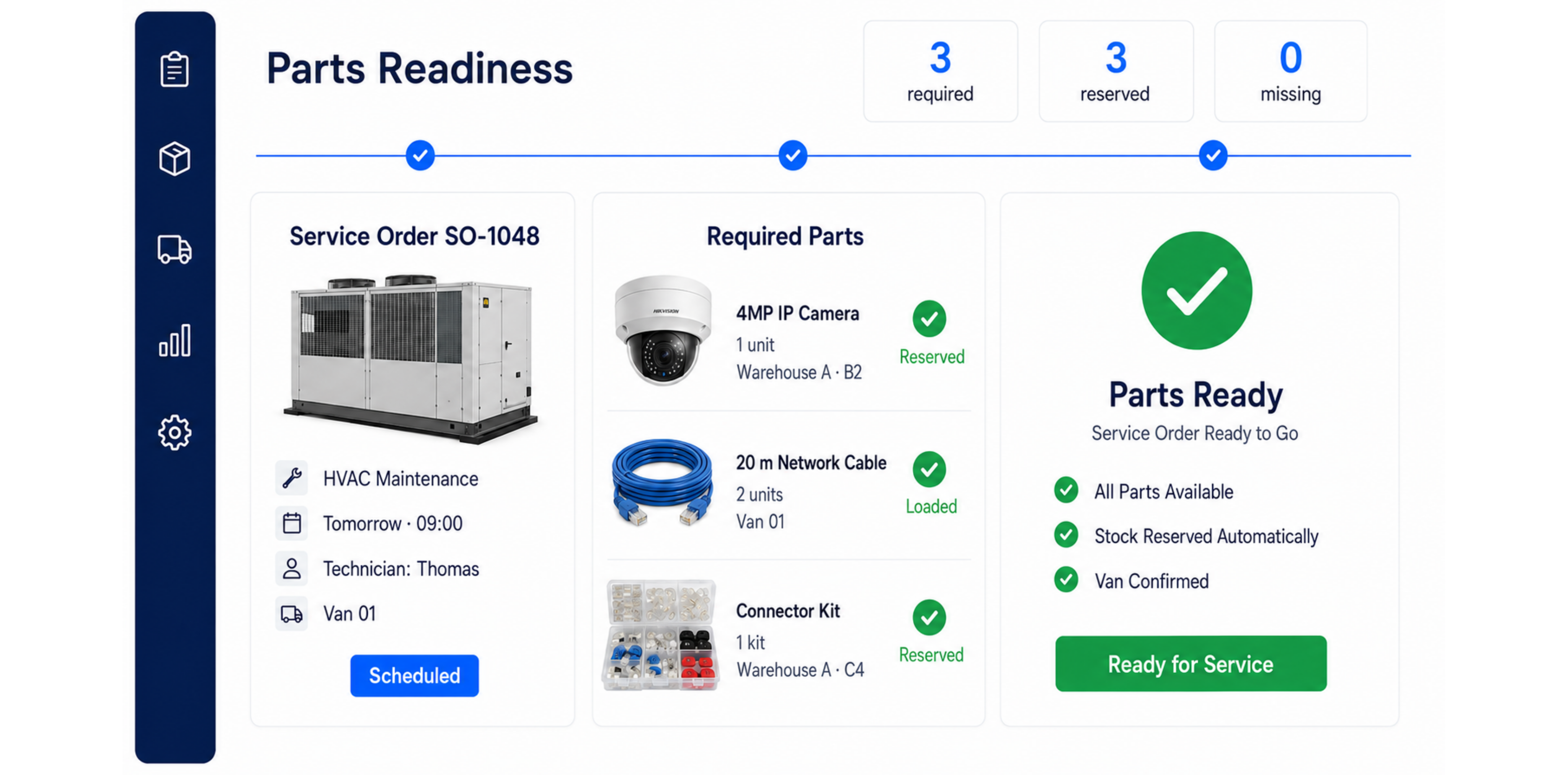
Check which parts are required, reserved, loaded or missing for each service order. Problems become visible before the technician leaves.
- Required parts linked to the service order
- Automatic stock reservation
- Warehouse and van-stock verification
- Clear readiness status before departure
Van stock management: your parts are rarely in one warehouse
In a service business the material is scattered: some in the warehouse, some in each van, some on a live job. Counting only the warehouse means knowing maybe a third of your stock — and reordering what is already sitting in a vehicle.
Every location is a real stock location
Warehouse, service vans and job sites are tracked separately, so you know not just how many you have but where they are. A part sitting in a colleague's van is available — provided someone can see it.
Movements between those locations are recorded, so restocking a vehicle from the warehouse is a transfer in the system rather than a grab off a shelf.
Consumption that writes itself off
Whatever the technician records on the work order comes off that vehicle's own stock. No separate count is needed to know what is still on board, and the part used attaches straight away to the right customer and job.
Ready before departure, not on site
The most expensive part is the one missing once the technician is already at the customer: that trip counts twice. So each scheduled job can be checked for whether the required material is available or prepared before anyone leaves.
Minimum levels per location get common parts replenished in time instead of noticed when they run out.
Where this weighs most
- Businesses where each technician stocks their own van
- Installers holding common parts to absorb emergency call-outs
- Teams working on projects and contract customers at the same time
Frequently asked questions about stock and parts
Does each technician have their own stock?
Yes. Every service van is its own stock location, so you can see what each vehicle holds and what the technician used today.
Does the technician have to maintain their stock manually?
No. What they record as used on the work order is deducted from that vehicle's stock automatically. They keep no second list.
Can we see whether a scheduled job has its parts?
Yes. Each job shows whether the required parts are available or already prepared, so a trip does not set off for nothing.
Bring your service operations together in one system
Discover how Service Suite fits your team, workflow and growth plans.