QR ASSET REPORTS
Turn every machine into a direct service point
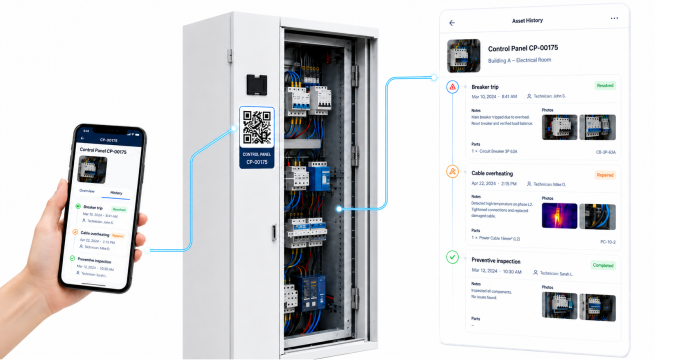
Let customers and staff report a problem straight from the machine. The right asset, location, photo and description are recorded centrally, so your team can respond faster.
- No account needed to report a problem
- Automatically linked to the right asset and location
- Photo, priority and description in one report
- Immediately visible to planning and service management
CENTRAL ASSET FILE
Everything about each device in one place
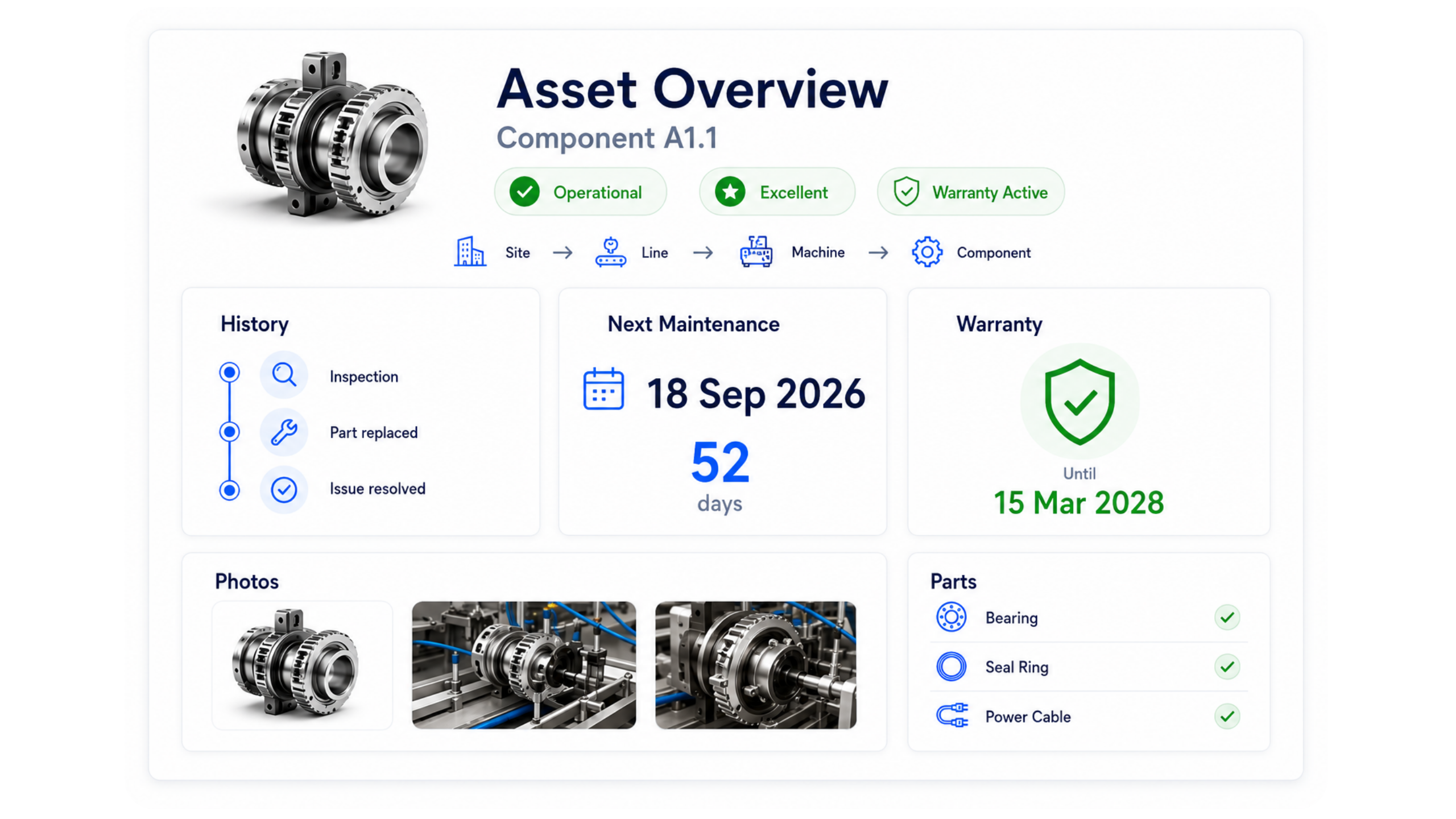
See the current status, maintenance history, warranty, photos and parts of every installation without searching across different systems.
- Complete overview per installation or component
- Next maintenance date visible at a glance
- Warranty details and technical photos kept together
- Parts used linked to the device
COMPLETE MAINTENANCE HISTORY
Every intervention stays linked to the machine
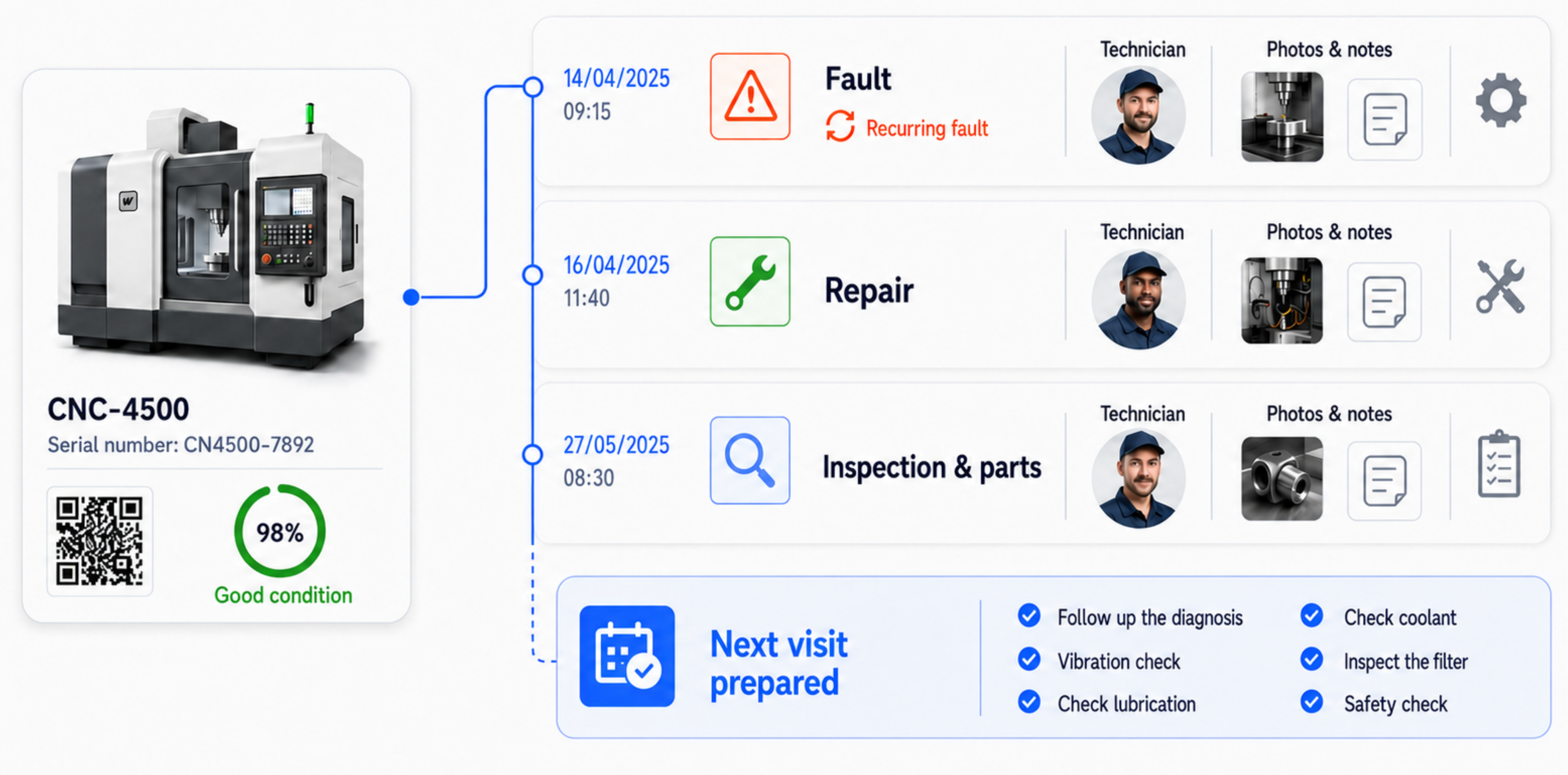
Track earlier failures, completed repairs, inspections, parts used and photos in a clear chronological overview.
- Spot recurring failures sooner
- See straight away who carried out which repair
- Photos, notes and parts per intervention
- Better preparation before the next visit
ASSET INTELLIGENCE
From site structure to health score
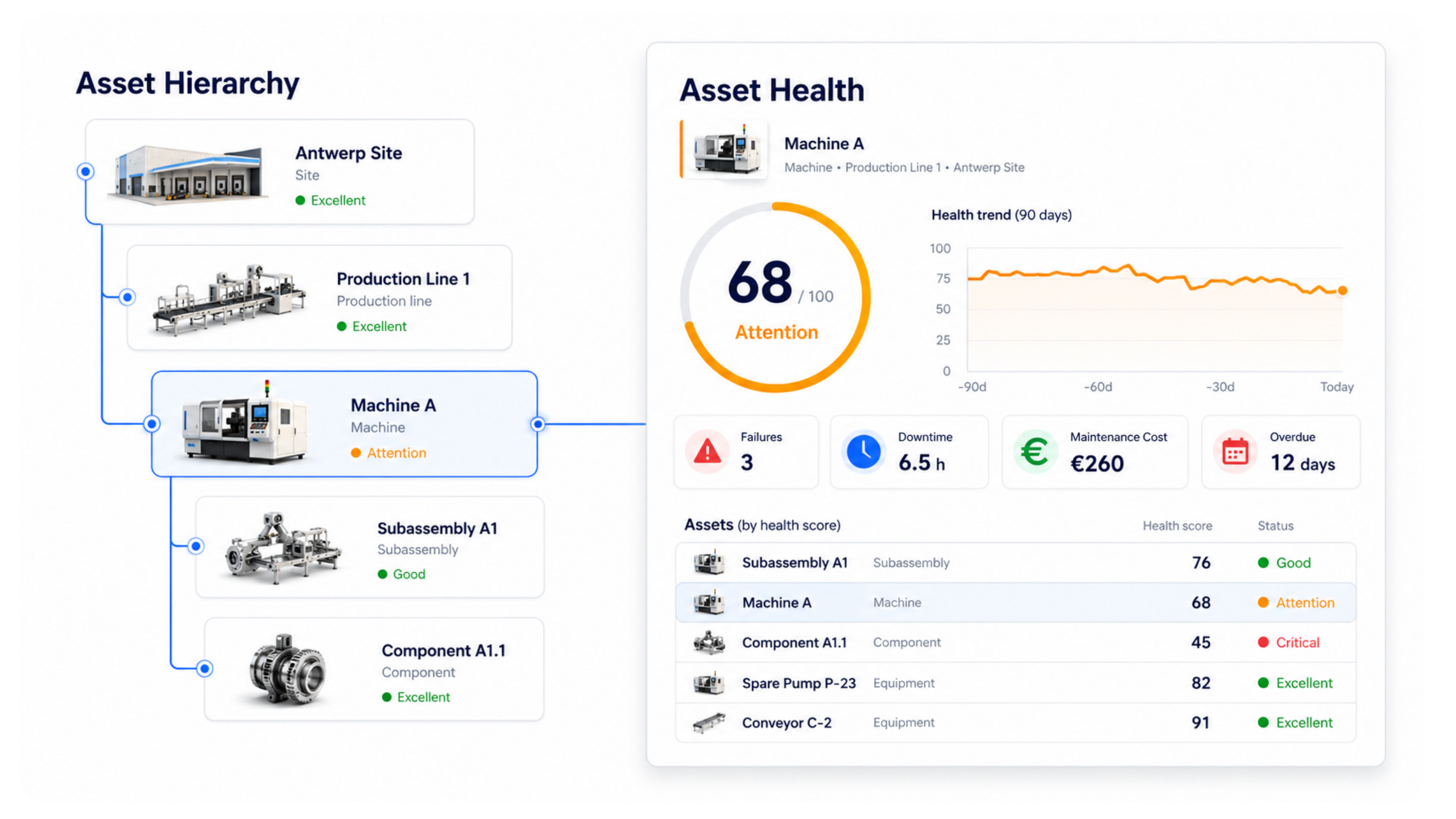
Structure your installations from site down to component and follow technical health through failures, downtime, maintenance costs and overdue maintenance.
- Site → production line → machine → subassembly → component
- Health score per asset
- Insight into failures, downtime and maintenance costs
- Identify and prioritise critical assets sooner
Asset intelligence: from a sticker on the unit to its full service history
A QR code on a piece of equipment solves a small but expensive problem: knowing on site exactly which unit you are standing in front of and what has happened to it. Without that, every job starts with a call to the office, or with a guess.
What happens when the technician scans
Every unit carries its own QR code. Scanning opens that unit's record: type, serial number, where it sits in the building, and its complete equipment maintenance history — what was replaced, what was reported, which photos were taken.
The technician starts the job from that same record. There is no second system in which to find the unit again, and so no chance the finding is filed against the wrong one.
An installed base you can actually manage
Once units are known individually, the base becomes steerable. You can see which equipment fails more often than average, which has gone longest without a visit, and which costs the most hours.
That is the difference between firefighting and having a replacement conversation with the customer, backed by the history of their own unit rather than an impression.
Useful to whoever operates the equipment too
The code does not have to be for your own people only. Anyone who spots a problem on site can scan it to raise a report already attached to the right unit — not "the boiler on the second floor sounds odd", but the exact piece of equipment with its history attached.
Where this weighs most
- Refrigeration, where units stay in place for years and are spread across a site
- HVAC and heating, with many similar units at the same address
- Facility providers maintaining third-party buildings
- Work subject to statutory inspection, where the report must stay retrievable
Frequently asked questions about equipment QR codes
What exactly does scanning the QR code open?
That single unit's record: type and serial number, where it sits, which customer and site it belongs to, the completed jobs with their work orders and photos, and the running contract terms.
Does the technician need a separate app to scan?
No. Scanning sits inside the same mobile app that already holds their day plan and work orders, so they do not switch tools mid-job.
Can the customer report a fault through the code?
Yes. A scan on site can raise a report already attached to the right unit, so your dispatch does not have to work out which installation is meant.
What if a label gets damaged?
The code identifies the unit, not the other way round: the equipment continues to exist with its full history and can be given a new code without losing data.
Bring your service operations together in one system
Discover how Service Suite fits your team, workflow and growth plans.