Mobile app
The office and the field,in the same app.
Your technicians work from today's planning, not from yesterday's printout.
Every intervention, task, photo, signature and used part is captured on the phone and lands in the office straight away. No paper work orders, no calls to ask how far along the job is, and nothing left to retype in the evening.
Installs from the browser · No app store needed
Mobile app
Everything your technician needs, in one mobile app
From interventions and tasks to communication and van stock: give technicians one clear working environment in the field. They move faster, make fewer mistakes and have every detail to hand.
Interventions
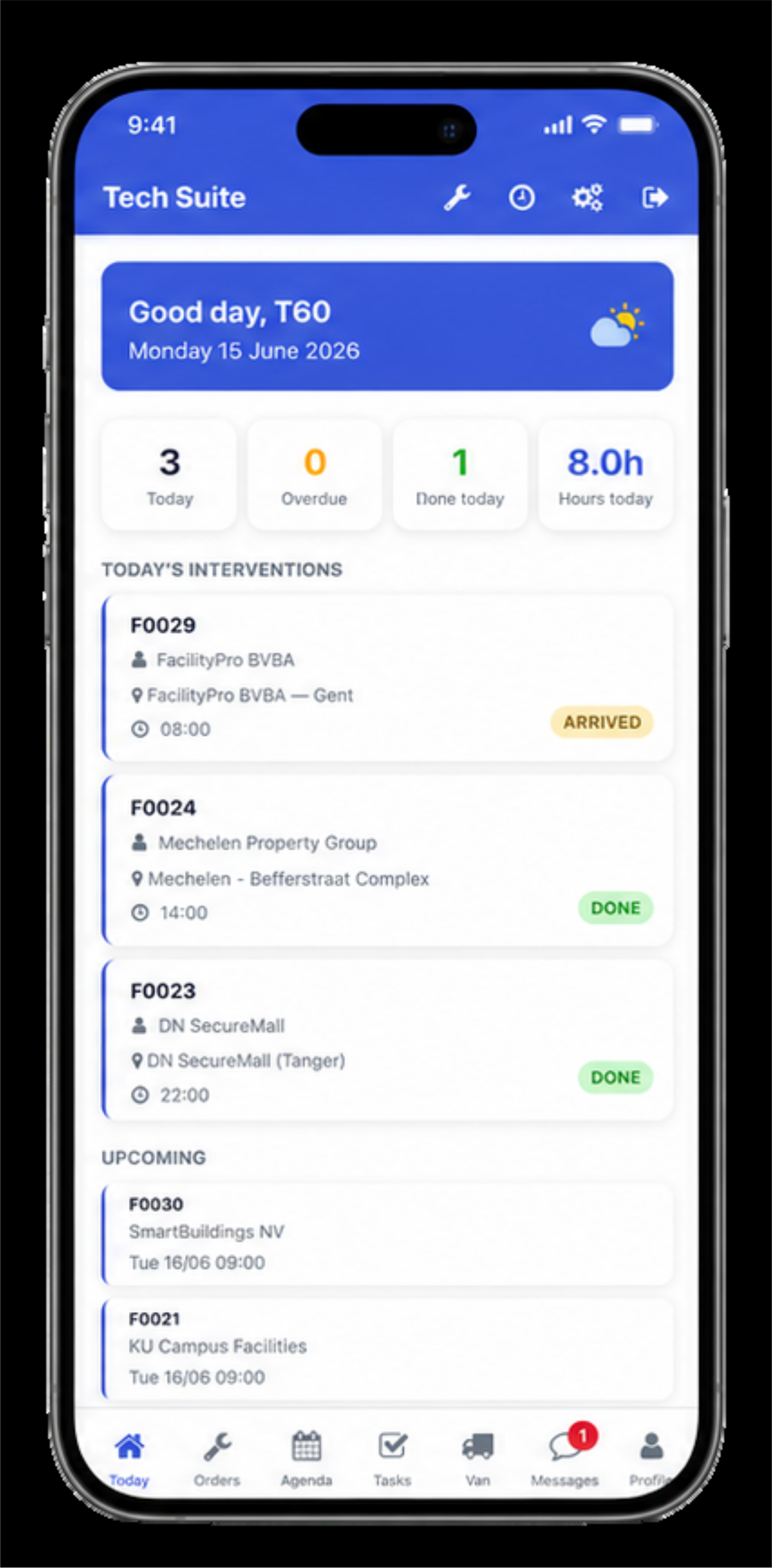
Day planning
The day starts with one clear overview
When the app opens, your technician sees what is waiting: how many interventions, which are done, what follows and how many hours are planned. The schedule comes straight from the office, so a change no longer needs a phone call.
- Today's interventions with time, customer and location
- Counter for completed, ongoing and overdue jobs
- What is coming tomorrow, in the same screen
- Changes from the office arrive immediately
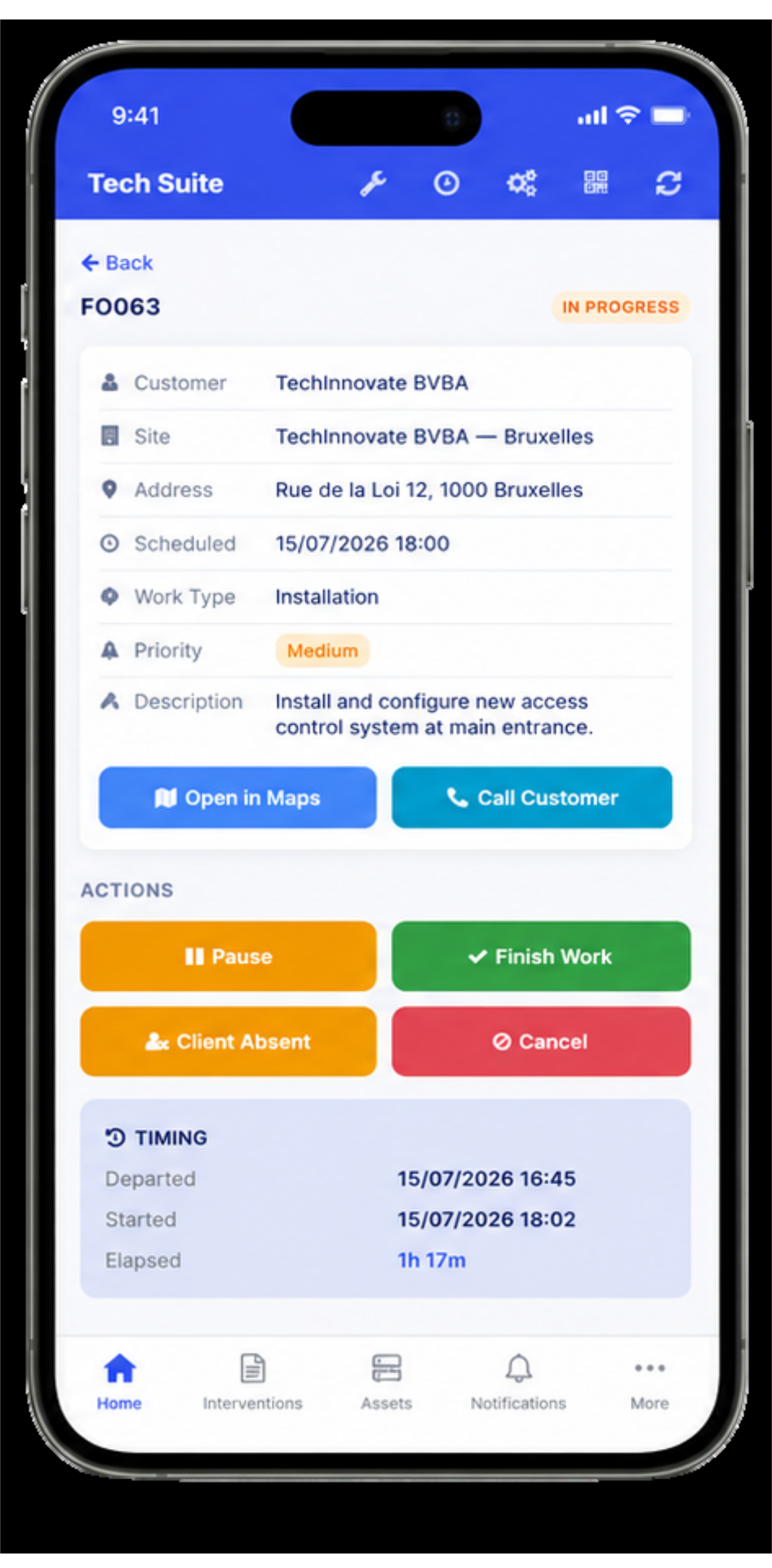
Intervention details
Everything about the job, before ringing the bell
Every service order opens with the customer, the site, the address, the work type, the priority and the full description. From there your technician starts the work, pauses, calls the customer or opens the route, without leaving the app.
- Customer, site, address and appointment time in one screen
- Work description and priority of the job
- Open the route or call the customer in one tap
- Start, pause or finish the work with time tracking
Photos, notes & signature
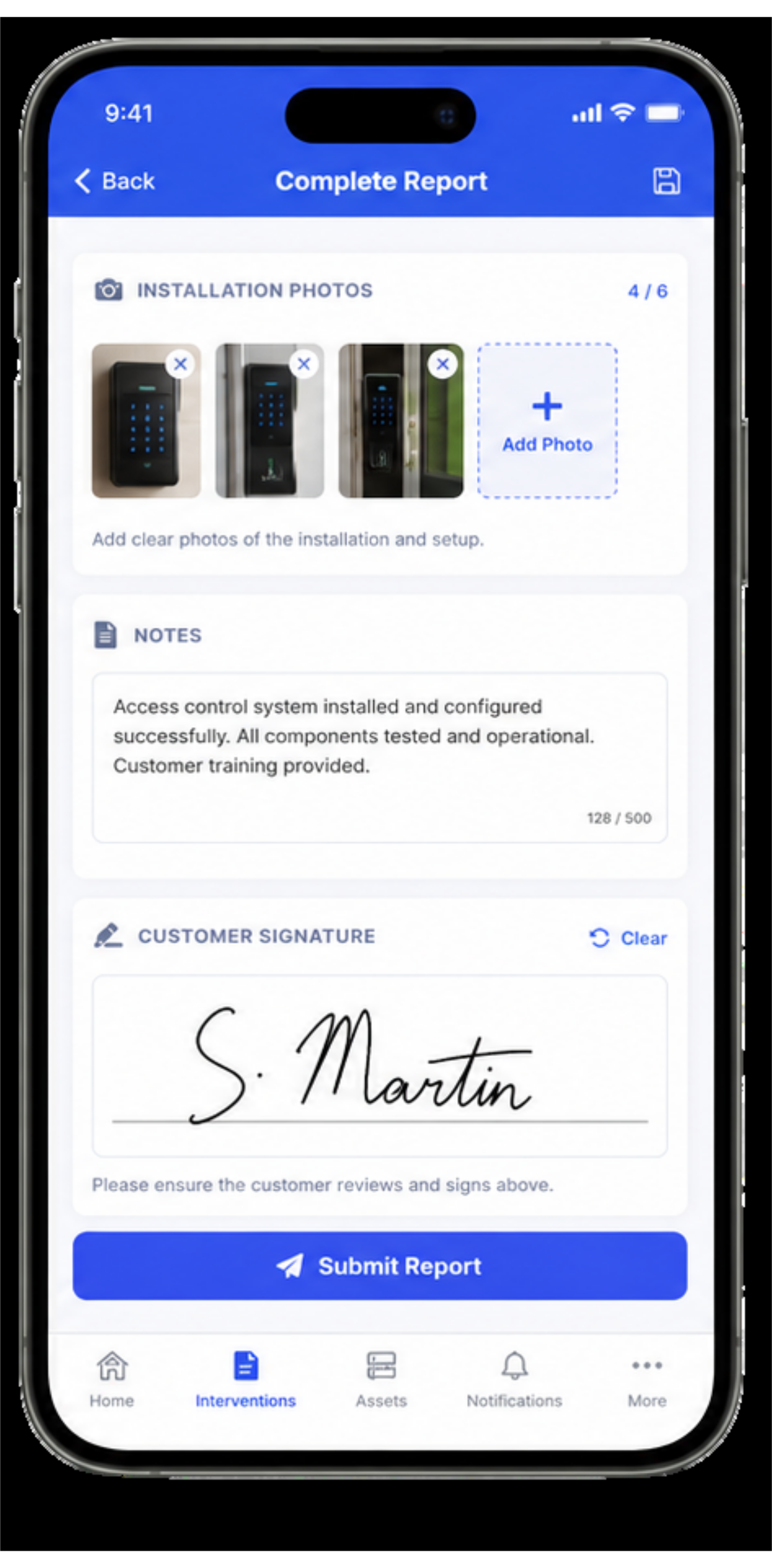
Complete proof of the intervention, straight from site
The technician adds photos of the installation, notes the work carried out and has the customer sign on screen. All of it is attached automatically to the right service order and to the customer's file.
- Photos before and after the intervention
- Notes on findings and work carried out
- Digital signature on the right work order
- A complete file for follow-up, warranty and invoicing
Tasks and messages
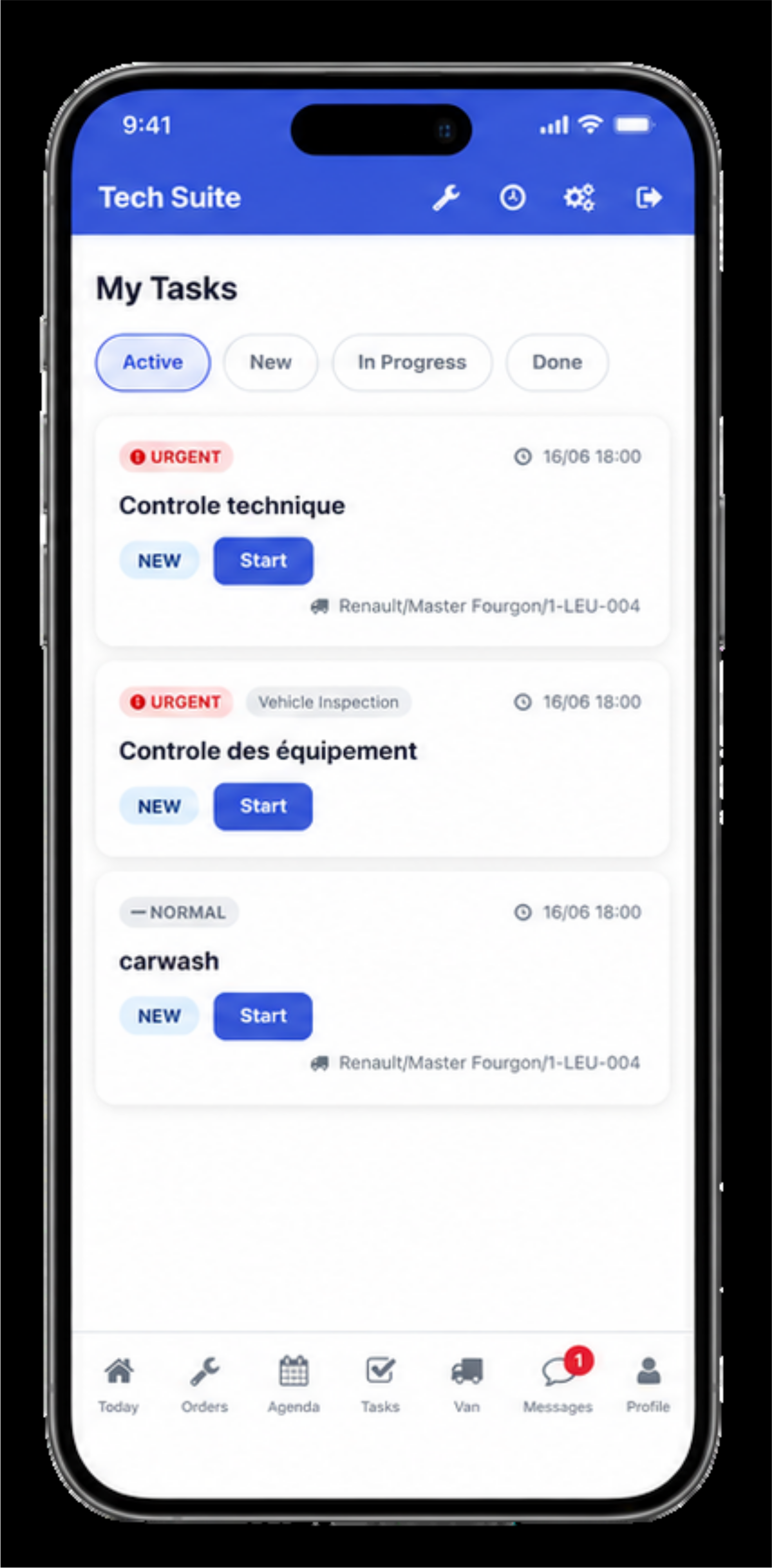
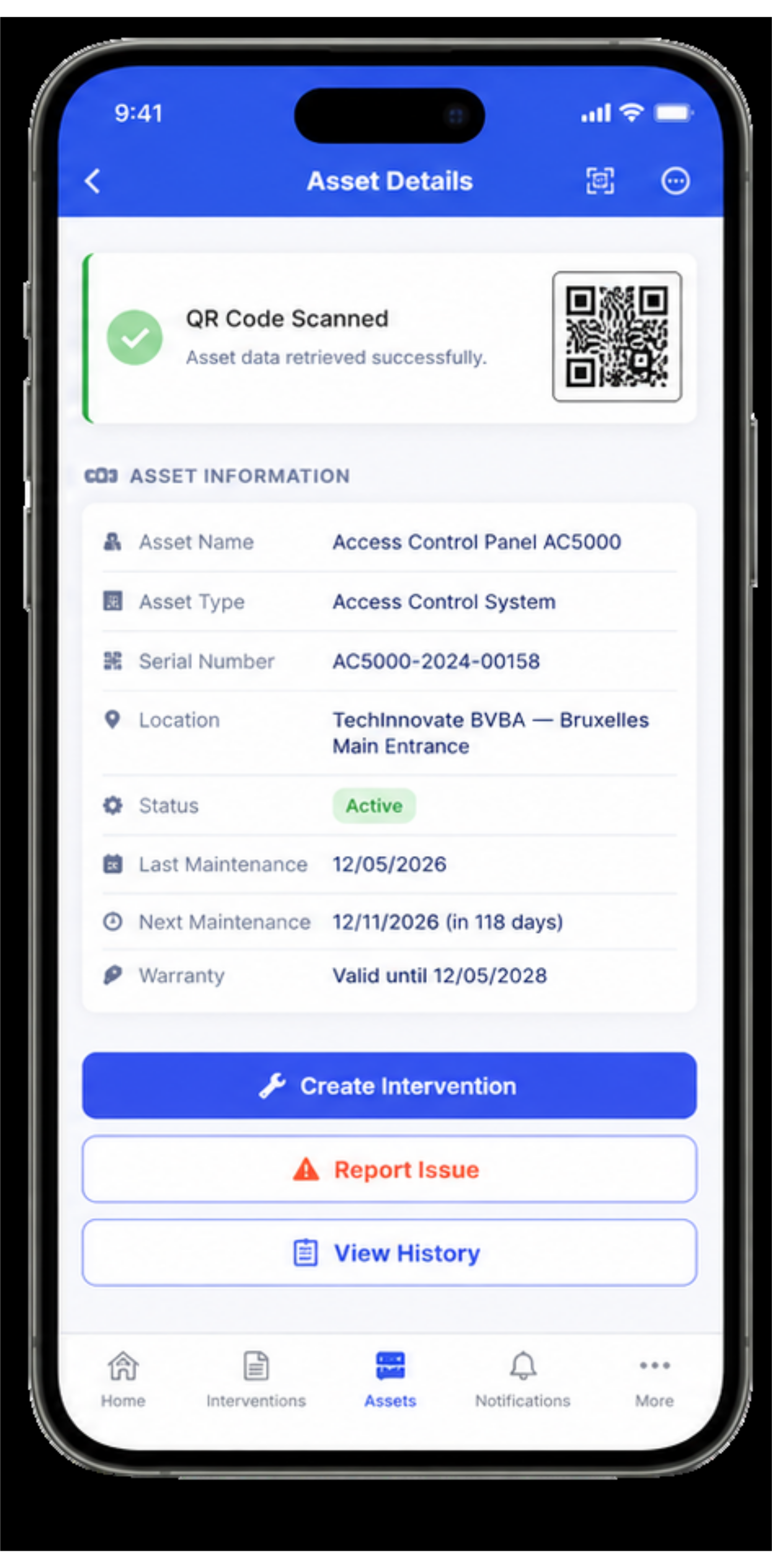
Short lines between office and field
Next to interventions, your technician also picks up tasks: a check, an inspection, the maintenance of their vehicle. And when something needs sorting out, it happens in the app rather than in a private chat group.
- Tasks with priority, vehicle and status
- Start and finish in the same place
- Messages between office and technician per file
- Everything stays with the company, not on a private device
Van stock
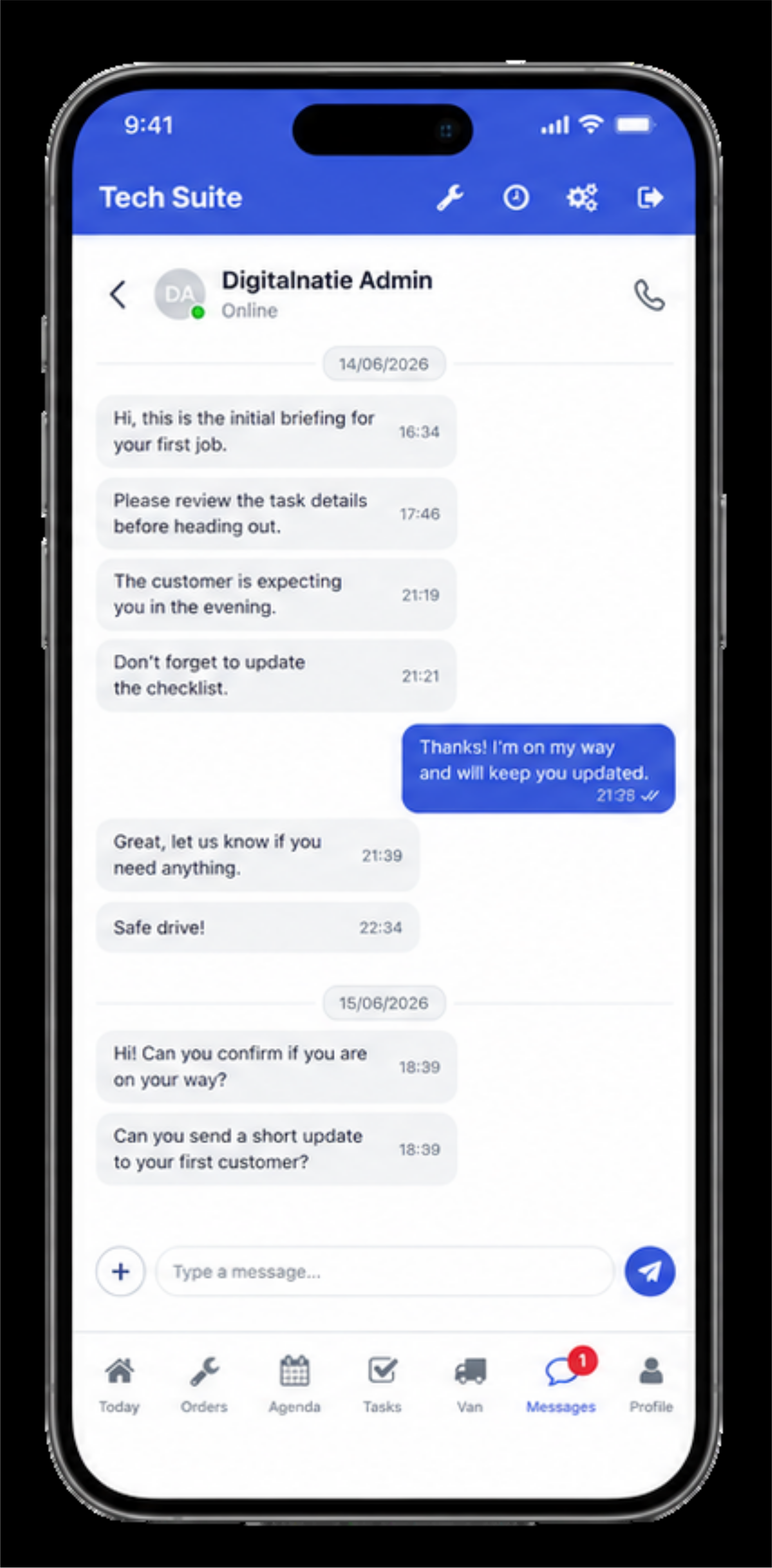
What is in the van, always counted
Every technician sees the stock of their own vehicle, with minimum levels per part. Whatever they use during an intervention comes off that stock and lands on the work order, so it gets invoiced too.
- Stock per vehicle, with a minimum level
- A warning on parts that are running out
- Register used parts during the intervention
- Consumption flows into the work order and invoicing
QR asset scanning
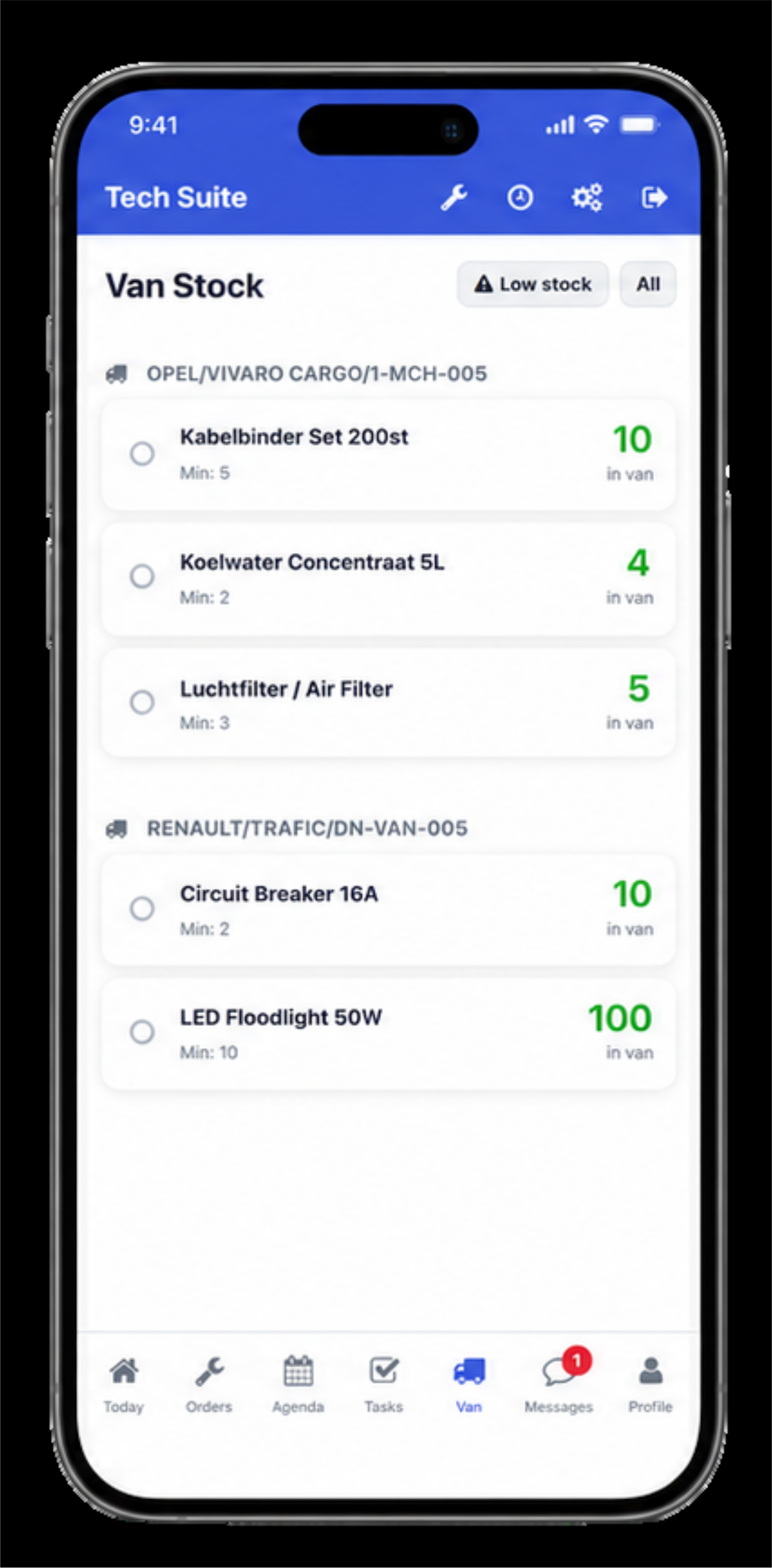
Scan the asset and know its history
Every installation carries a QR code. One scan opens its record: type, serial number, location, status, warranty and what happened there before. From there your technician creates an intervention or reports a problem.
- Asset record after a single scan, with no searching
- Serial number, location, status and warranty
- The full maintenance history of the installation
- New intervention or report straight from the record
Closing and reporting
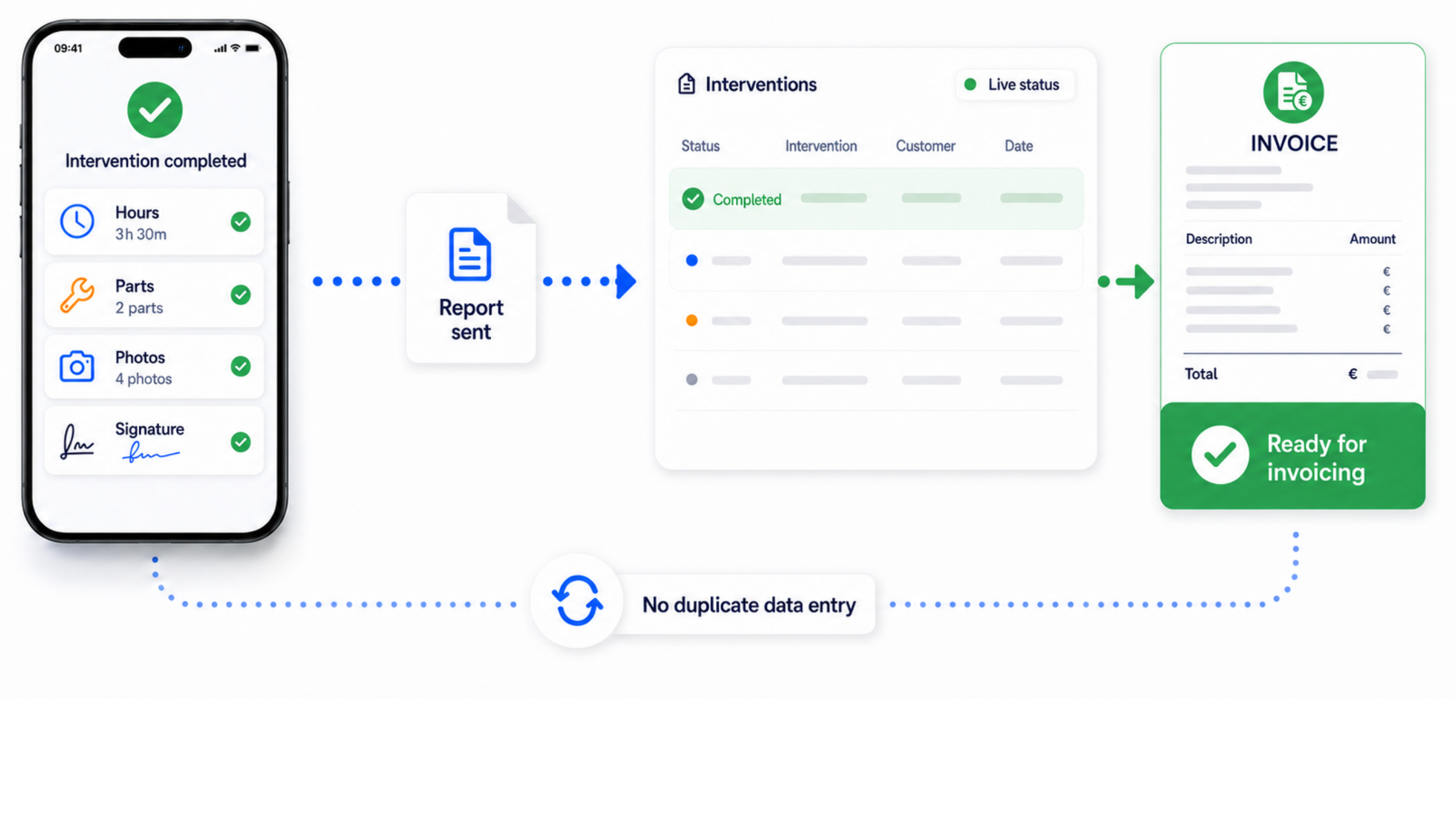
From a finished intervention to an invoice
The technician closes with the hours worked, the parts used, the photos and the signature. That report goes to the office and is ready to invoice, without anyone retyping a thing.
- Hours and parts taken from the intervention itself
- Report sent at the moment of closing
- The office sees the status change live
- Ready for invoicing with no double entry
The digital work order: what happens on site reaches the office the same evening
A paper work order rarely costs you at the time. It costs you three days later, when the sheet is unreadable, the hours no longer add up and nobody remembers which part went in. A mobile technician app removes that lag by capturing the work where the work happens.
What the technician records on site
Hours, parts used, photos before and after, notes and the customer's signature — all on the phone, during or just after the job. Whatever they capture attaches immediately to the right customer, site and piece of equipment.
Required certificates and checklists sit in the same flow, so what has to be recorded is not reconstructed afterwards.
Including with no signal
A boiler room in a basement, a plant room at the back of a factory, a roof: that is exactly where coverage is worst. So the app keeps working offline and syncs by itself once a connection returns.
That is not a detail. An app that stalls on site stops being used after two attempts, and then you are back to the paper sheet.
What the office gets
The moment the technician closes the job, the work order is ready for follow-up and invoicing. No re-keying, and so no week between the work done and the invoice.
The customer sees the difference too: a report with photos and a signature rather than a line on an invoice they have to take on trust.
Which teams gain most
- Installers whose technicians cover several addresses a day
- HVAC, plumbing, electrical and refrigeration work with certification duties
- Maintenance teams working on sites with poor or no coverage
- Businesses where invoicing currently waits on paper that arrives in the evening
Frequently asked questions about the technician app
Does the app work without an internet connection?
Yes. The technician can open the job, fill it in, add photos and capture a signature offline. As soon as a connection returns, everything syncs to the office automatically.
Does the customer need to install anything to sign?
No. They sign on the technician's device and receive the report digitally afterwards.
Can the technician record parts taken from the van?
Yes. Parts used are recorded on the work order and deducted from that vehicle's stock, so van stock stays accurate without a separate count.
Does the technician see the equipment's history?
Yes. For each job they see the unit involved and what was previously found and replaced, so they do not travel out with only today's report.
Bring your service operations together in one system
Discover how Service Suite fits your team, workflow and growth plans.