Field service management for service companies
Field service management.Time to break through your limits.
Plan, track and invoice every intervention from one platform.
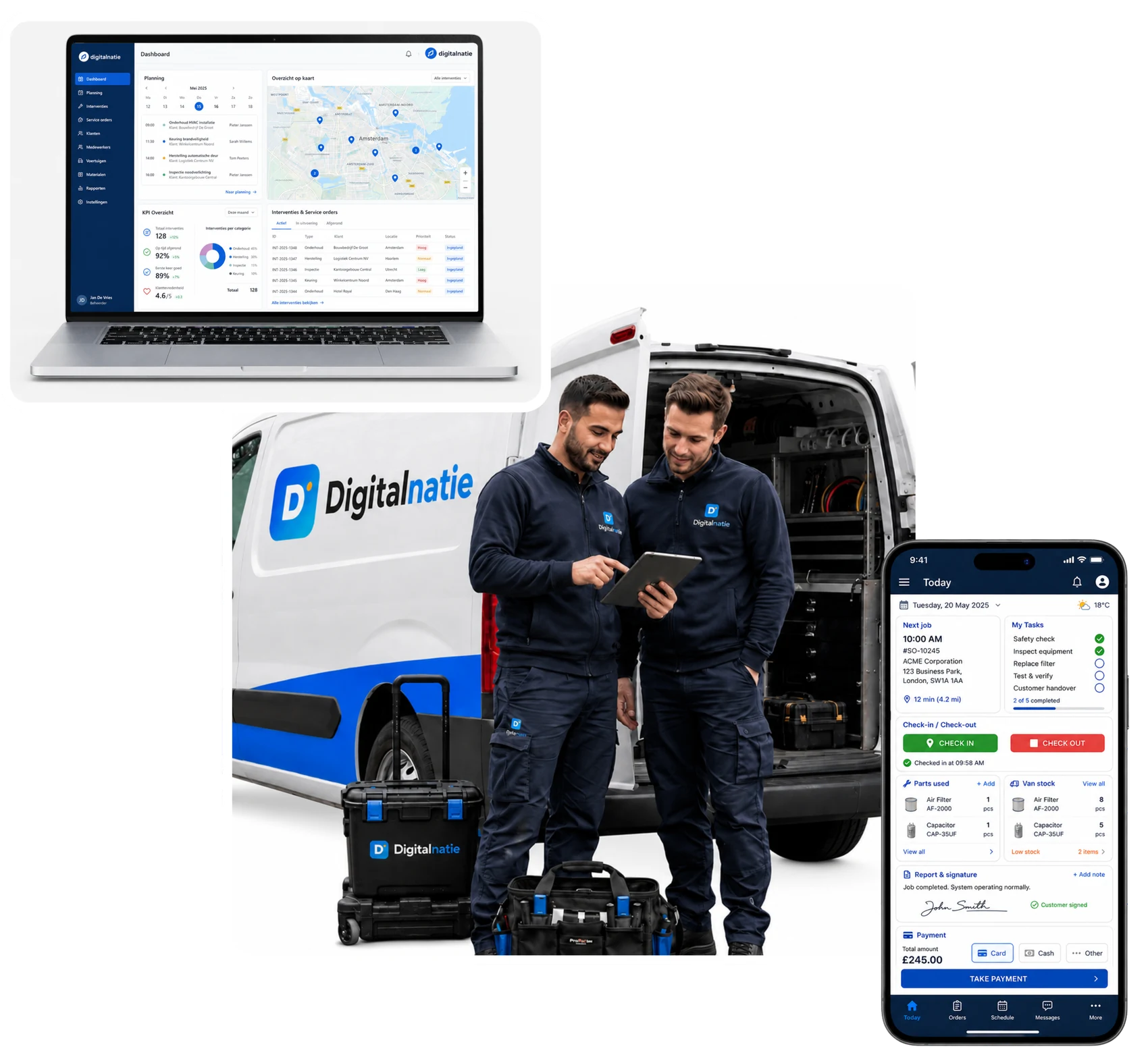
From the first request to the paid invoice: planning, technicians, stock, customer installations and invoicing finally work together.
See the software in a guided demo
- Fully in Dutch, French and English
- Mobile app without an app store
- From request to invoice in one platform
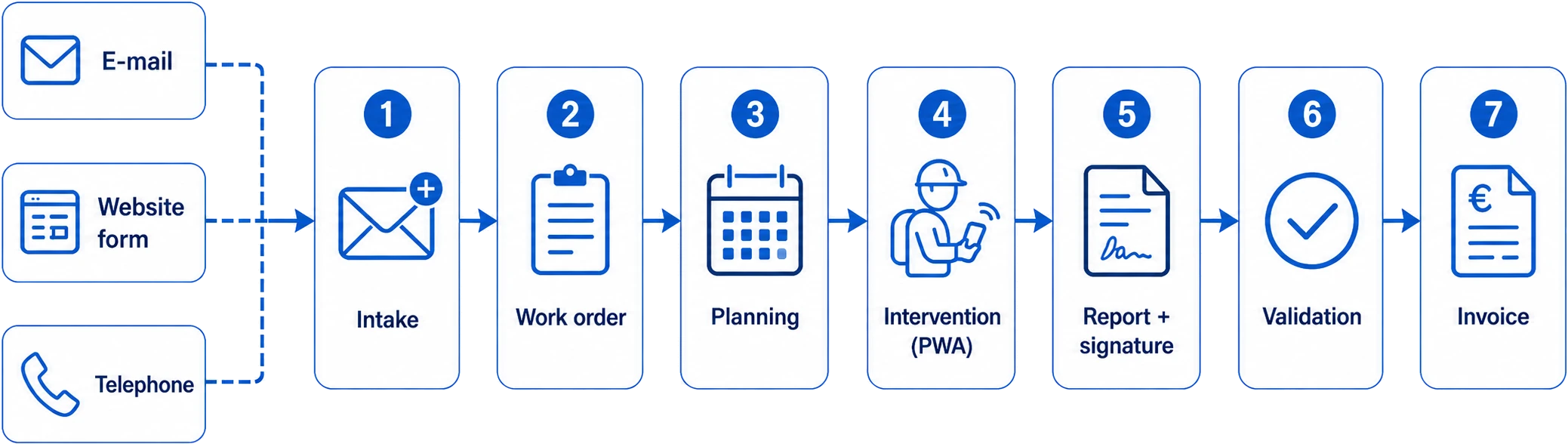
How it works
From request to paid invoice, without double entry
Every request by email, web form or phone follows the same smooth flow. What your technician records on site is instantly ready for the report and the invoice.
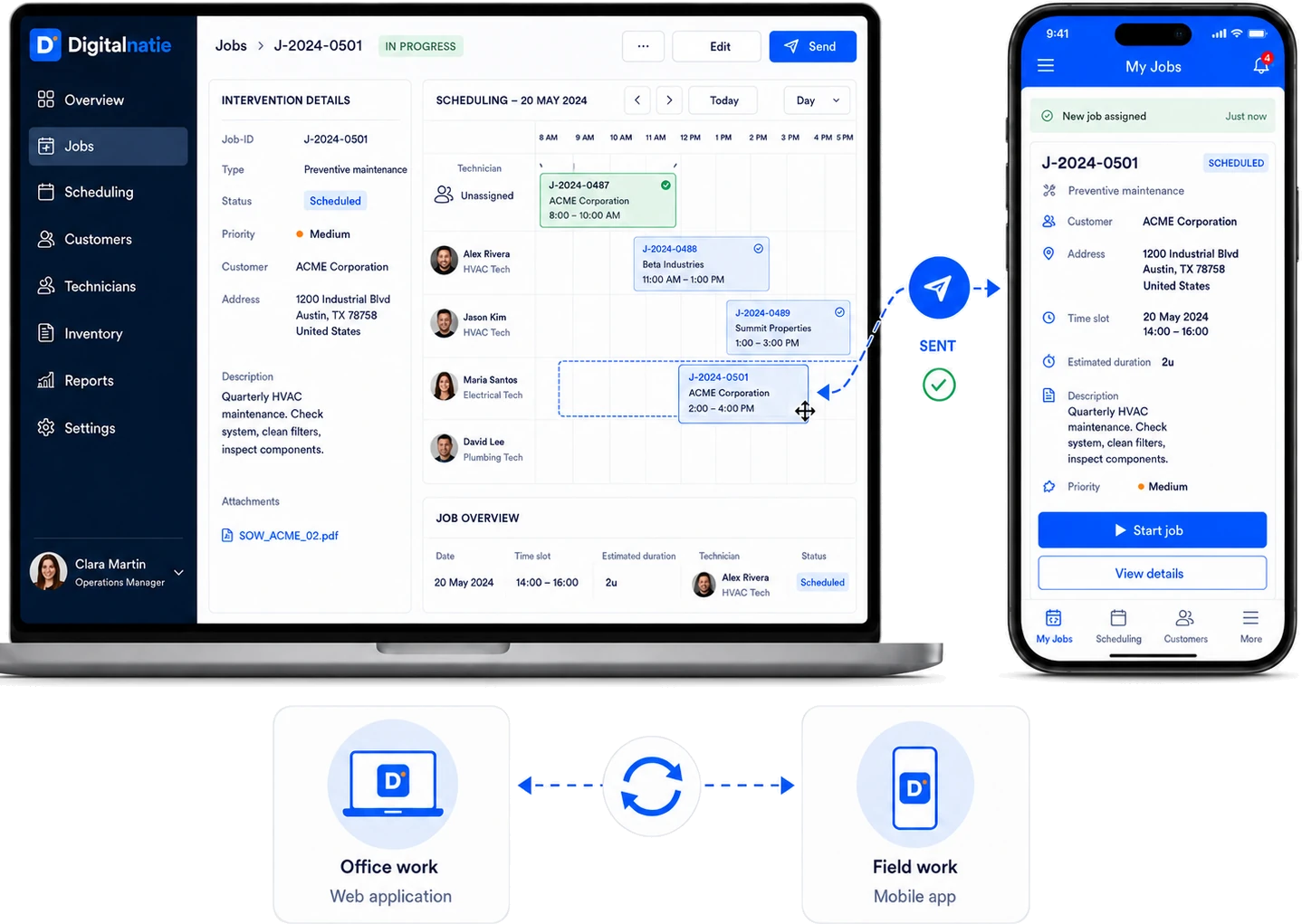
Planning & dispatching in real time
Your planning and the field, always in sync
Plan interventions at the office with drag and drop and watch the change appear instantly in your technician's app. Follow live who is on the way, on site or free, assign the right technician, route and time slot, and receive the reports as soon as the work is done.
- Drag-and-drop planning, visible instantly in the app
- Live status: on the way, on site, in progress, completed
- Tasks, routes and reports come together automatically
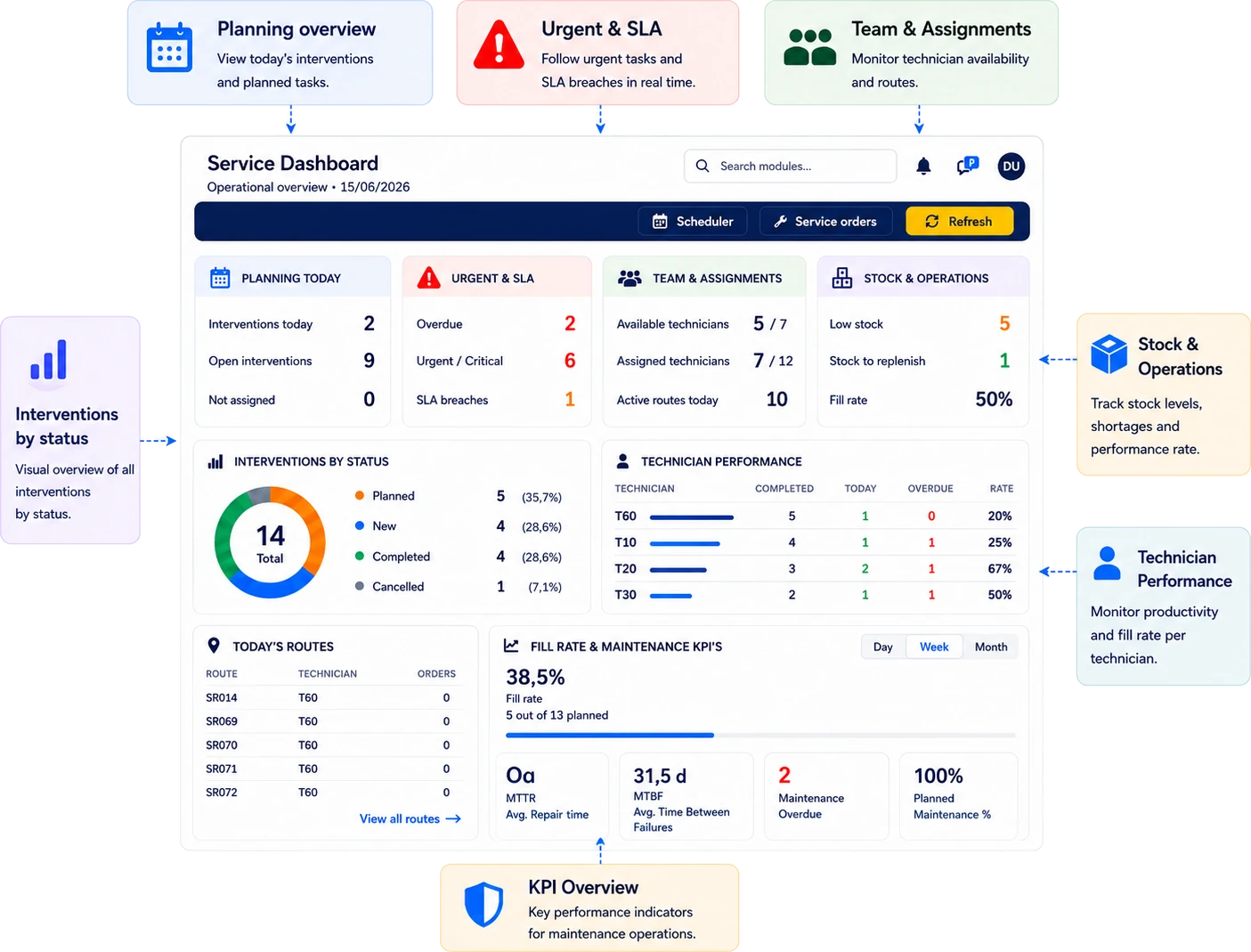
Operational overview
Every team and every intervention at a glance
The dashboard shows, per technician, today's planning, open and urgent interventions, projects and the completion rate. You know immediately where to step in, without chasing updates.
Smart route planning
Plan and track your technicians, right on the map
See at a glance where everyone is, optimize the visit order and cut the kilometres. Digitalnatie proposes the best route, so your technicians spend less time on the road and more time with the customer.
Today's route
- Office08:00Departure
- Industrial zone North09:00Maintenance
- Customer Peeters11:30Intervention
- Business park South14:00Maintenance
- Office17:00Return
Projects & tasks
Manage projects and send tasks straight to your technicians
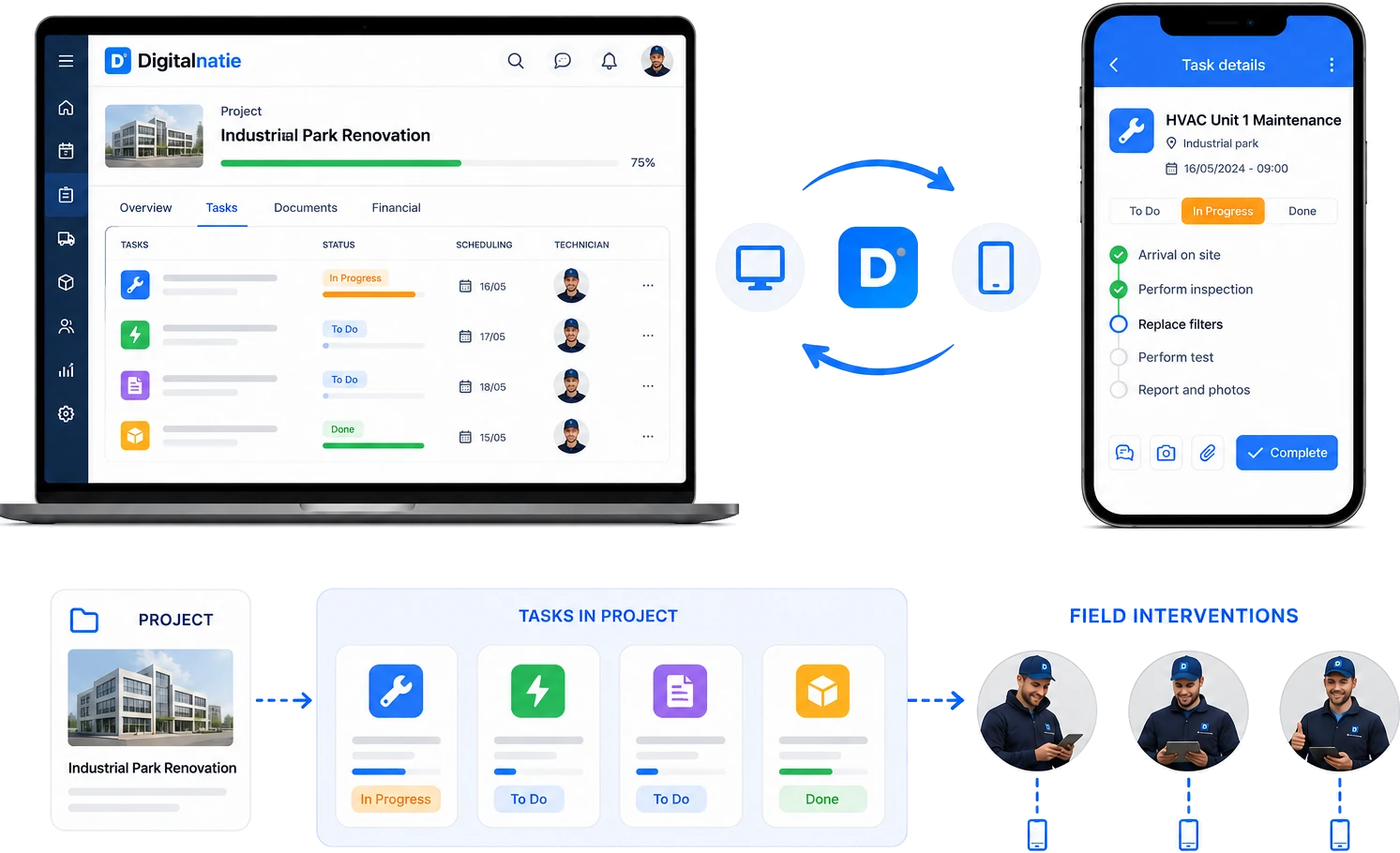
Bundle all the work inside one project, split it into clear tasks and follow planning, status, documents, hours and progress in one place. Technicians also receive personal tasks straight in their mobile app, without always needing a full intervention.
- Several tasks under one project
- Personal tasks for every technician
- Statuses such as To do, In progress and Done
- Planning, documents and progress in one place
- Real-time sync with the mobile app
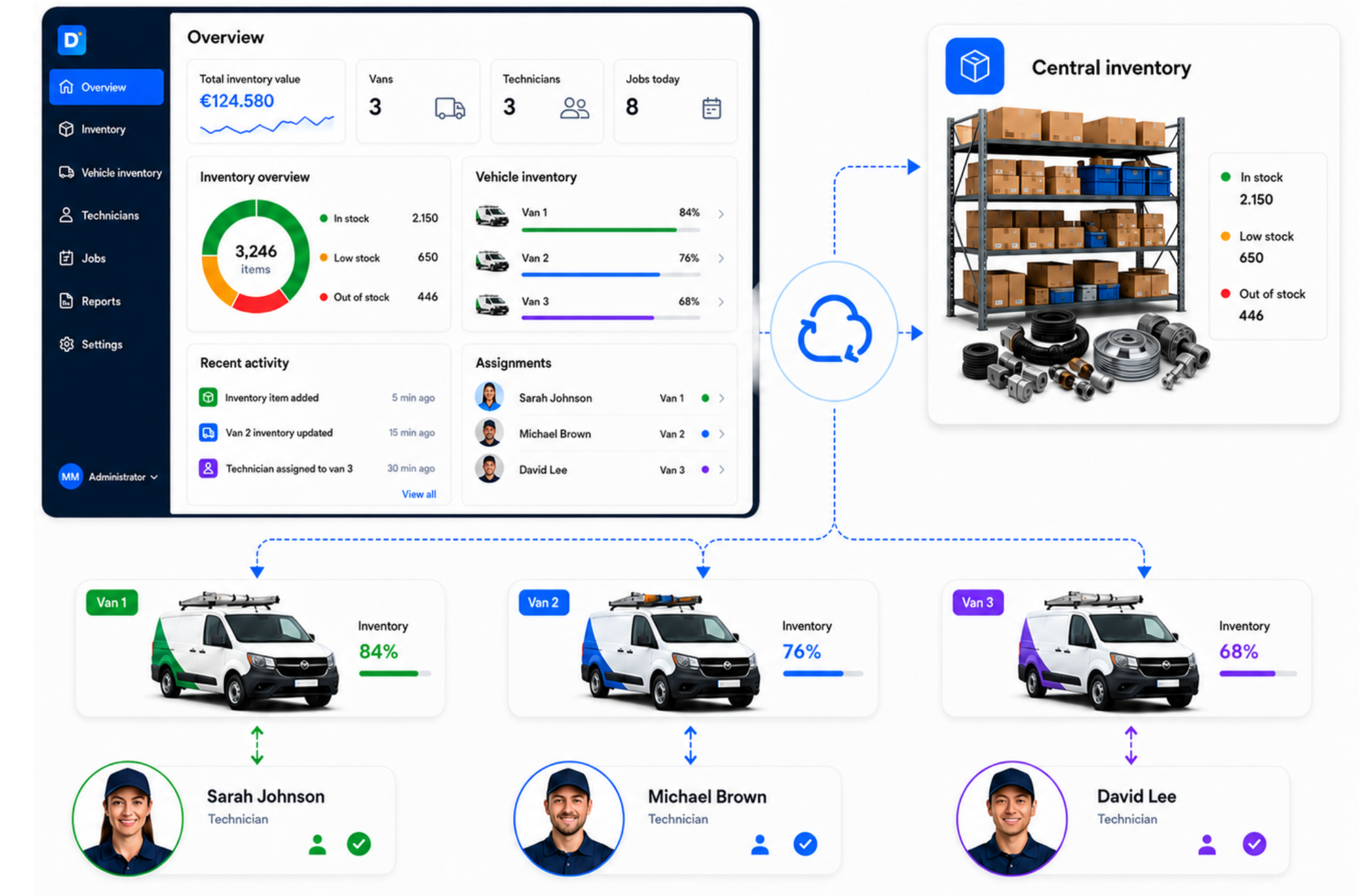
Stock & van stock
Know down to the part what's where
Each warehouse has its stock, each van its own. Digitalnatie tracks every movement (usage, replenishment and return), so your technicians never leave without the right parts and you keep field stock fully under control.
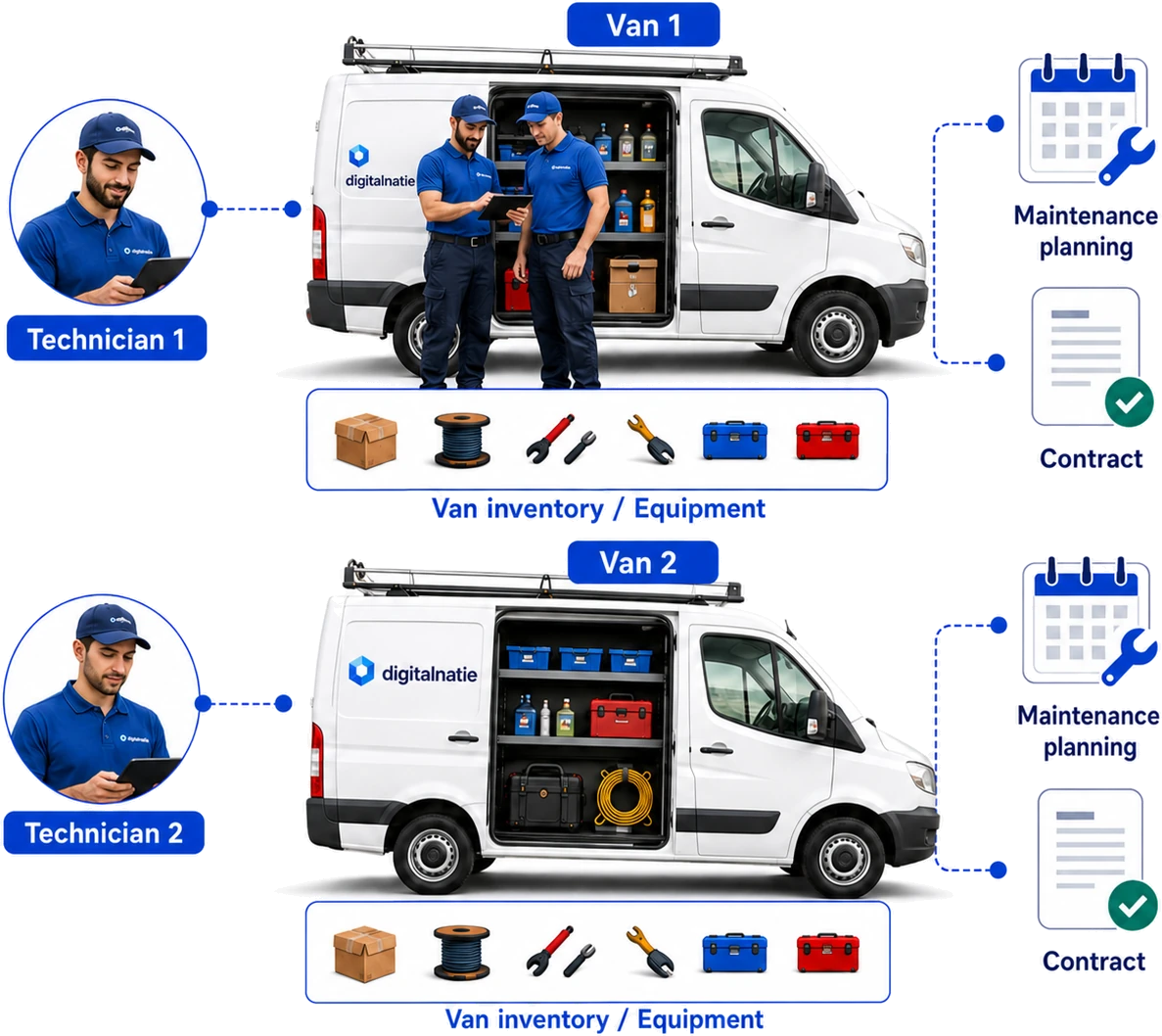
Fleet & equipment
Every vehicle, technician and service linked together
Link each technician to their vehicle, with the stock and equipment it carries. Plan each vehicle's maintenance, keep track of inspections and manage the contract per vehicle, all in one place.
Customers, installations & contracts
The full history of every asset at every customer
From customer to site to asset: Digitalnatie keeps, for every installation, its location, full intervention history, maintenance contract and warranty. Recurring maintenance schedules itself automatically.
- Customer → site → asset, cleanly structured
- Full intervention history per asset
- Maintenance contract and warranty per installation
- Maintenance that schedules itself
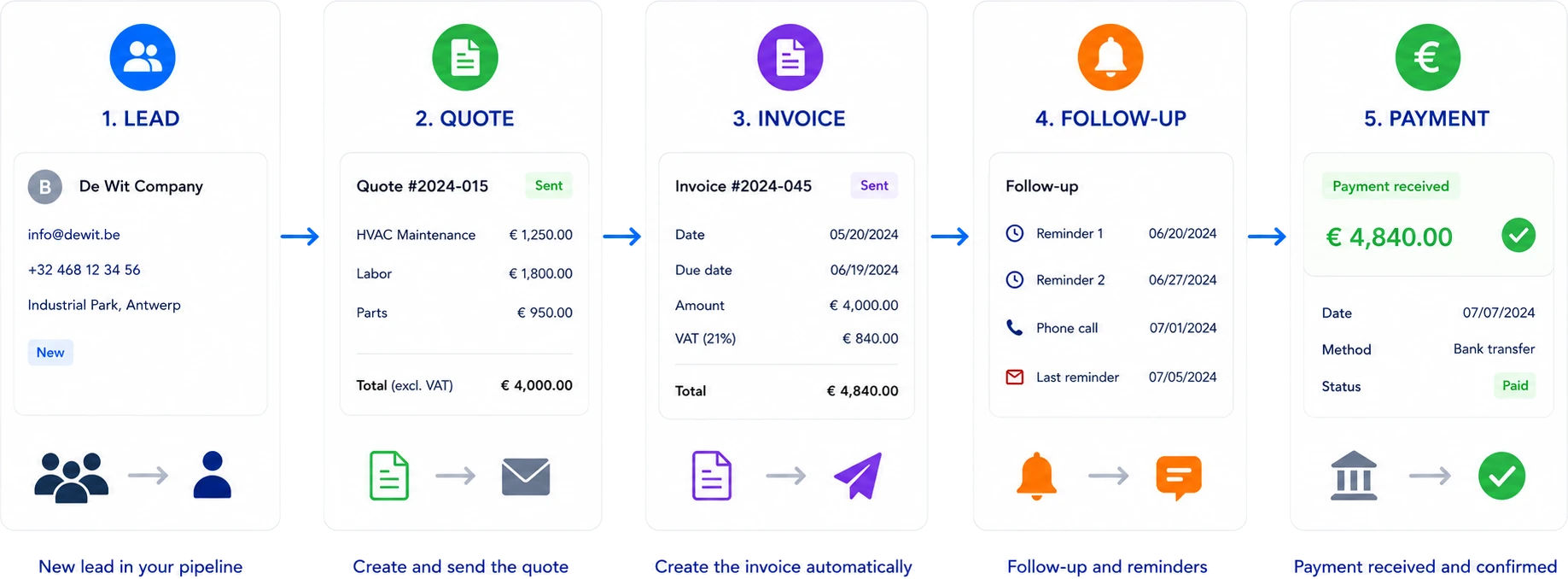
From lead to payment
Your commercial and operational flow on one line
Lead, quote, invoice, follow-up, payment, every step hands its data to the next. No double entry, no forgotten invoices, no manual reconciliation.
Mobile app for technicians
Everything your technician needs, on their phone
The app installs straight from the browser, no app store, no hassle. Your technician manages their service orders, starts and finishes work, records used parts, has the customer sign on site and follows their van's stock.
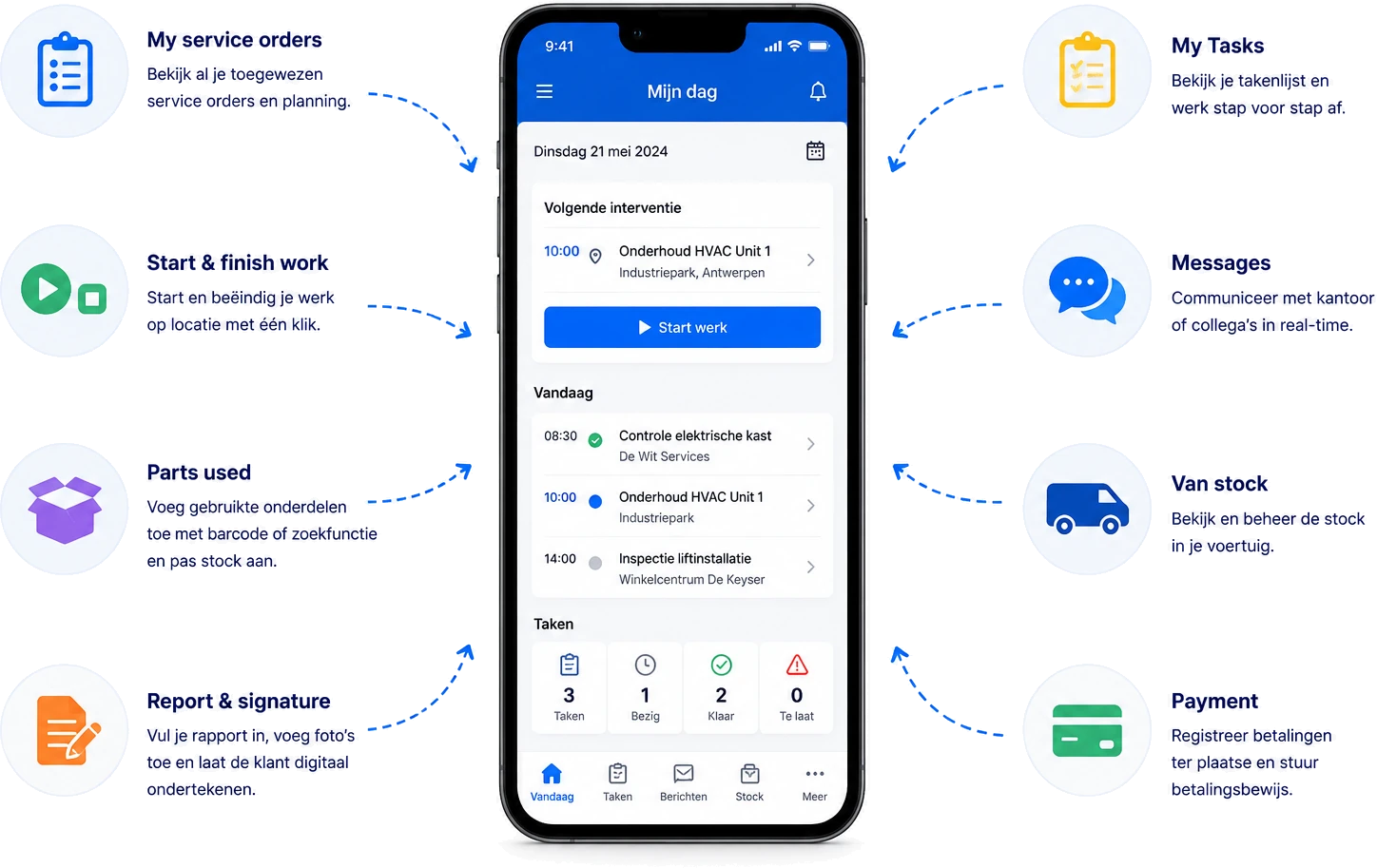
- Service orders
- Start & finish work
- Parts used
- Report & signature
- Tasks
- Messages
- Van stock
- Payment
Safety & compliance
Safety, LMRA and digital compliance
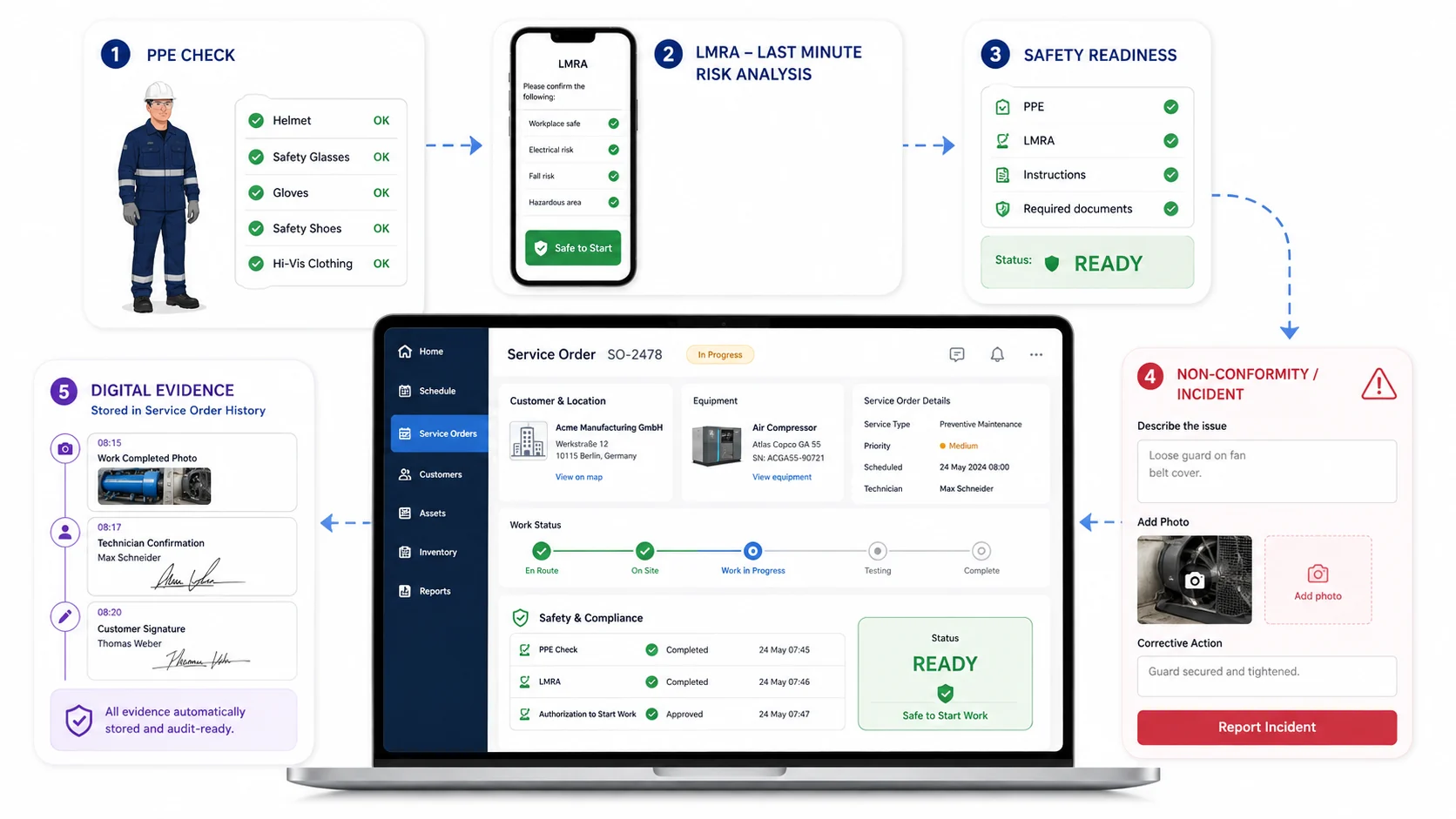
Everything your technician needs to start safely, control risks and record proof digitally.
Let technicians check PPE, complete LMRA, review required documents and report incidents directly from their phone.
- 1PPE check
- 2LMRA
- 3Safe to start
- 4Report an incident
- 5Digital evidence
QR codes on every asset
One scan and your technician knows the whole asset
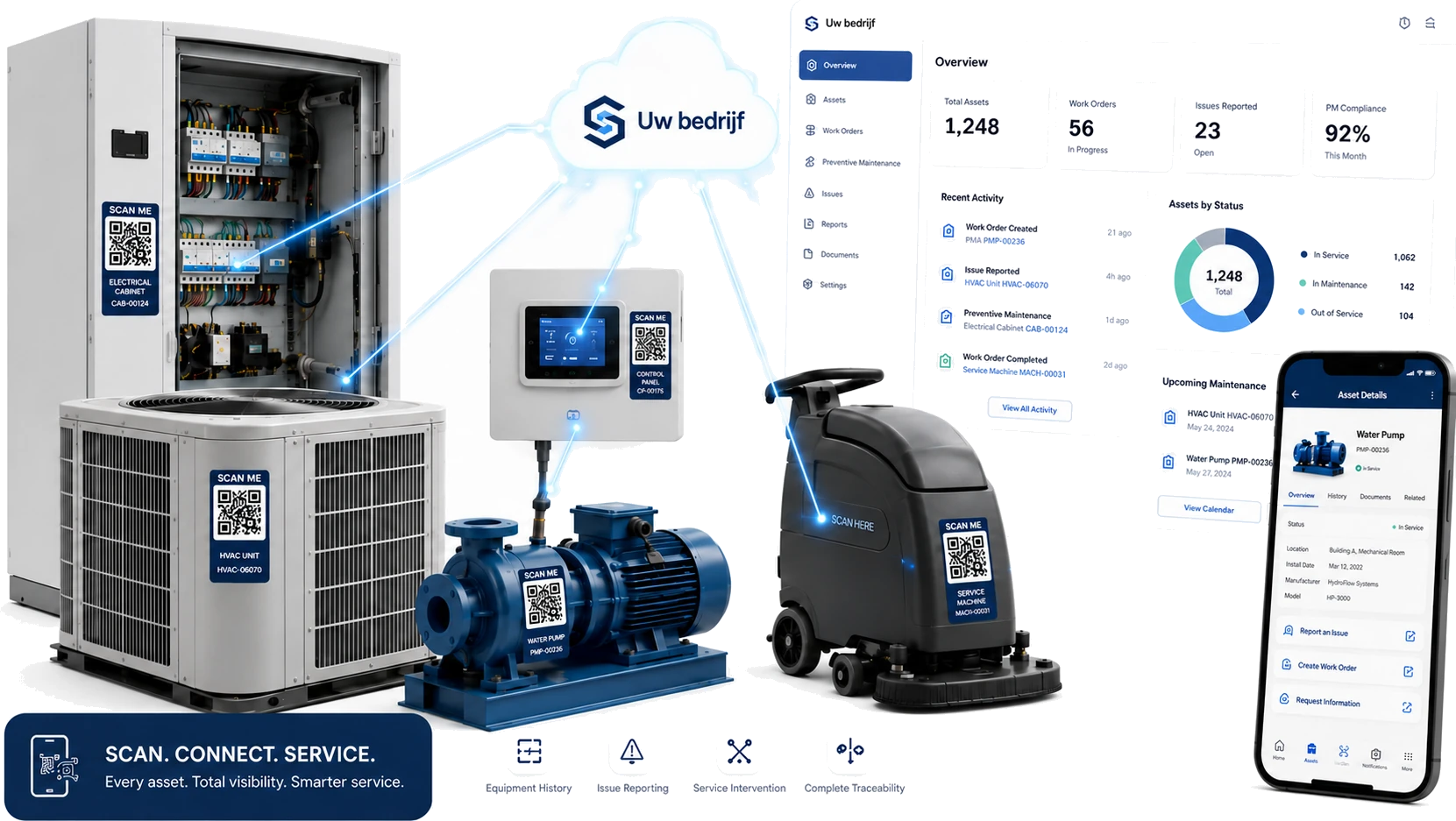
Every asset at your customer gets its own secure QR code. Your technician scans on site and immediately sees which installation it is, what has already been done and which maintenance contract applies. With the same code your customer reports a problem themselves, without an account and without a phone call.
- A unique, secure QR code per asset
- The full intervention history after a single scan
- Your customer reports problems themselves, without an account
- Every report automatically becomes one service order
- Traceable who did what, and when
Asset Intelligence
See which installation is costing you, before it breaks down
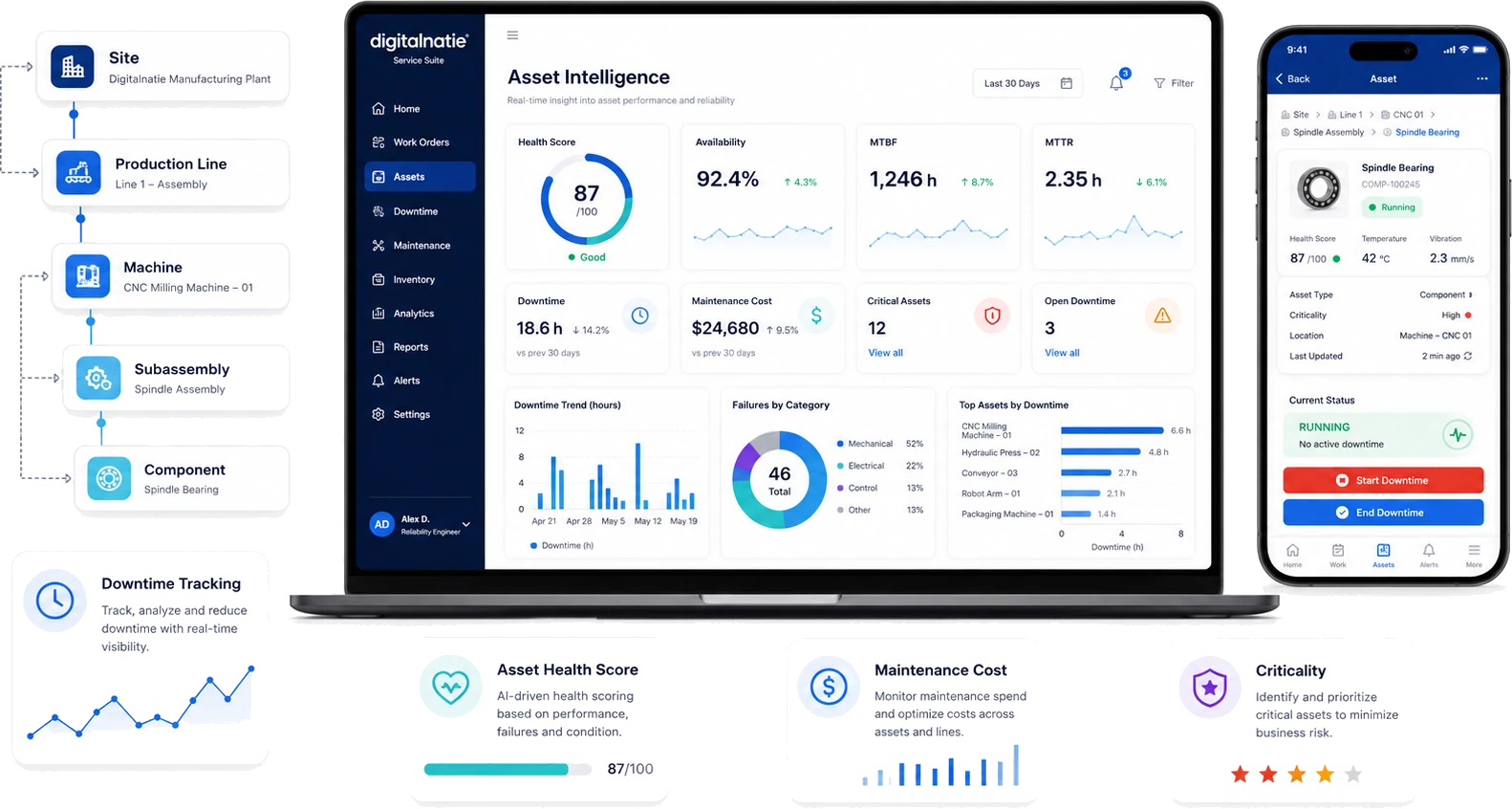
Digitalnatie builds a reliability record out of every intervention, from site and production line down to machine, subassembly and component. Per asset you see the health score, availability, MTBF and MTTR, the recorded downtime and what maintenance actually costs.
- Health score per asset, with the reasoning behind it
- Availability, MTBF and MTTR per installation
- Downtime that is recorded, not estimated
- Maintenance cost per asset and per line
- Critical assets first, so you tackle the right one
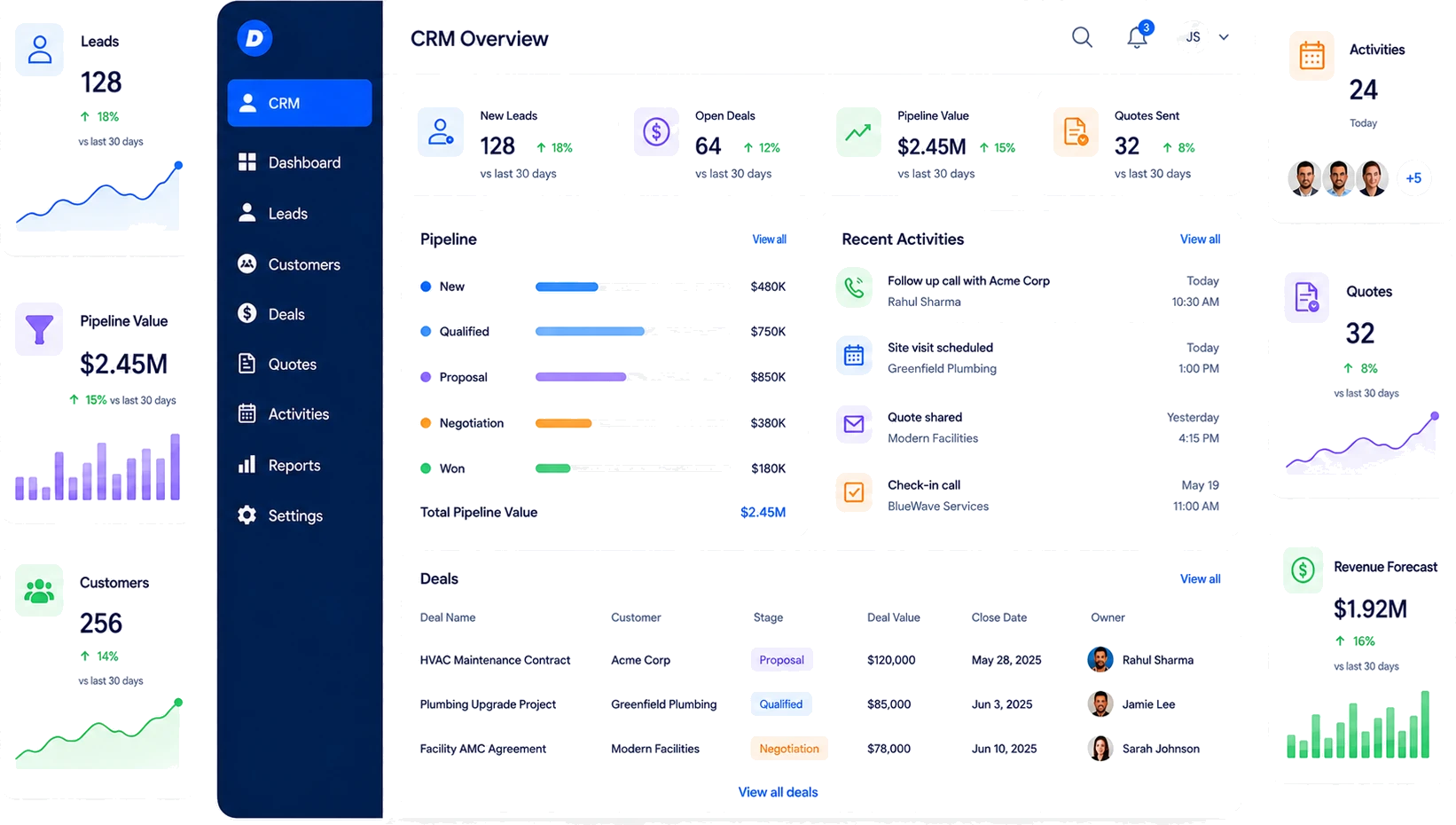
CRM for service companies
From first contact to signed maintenance contract
Your commercial follow-up lives on the same platform as your planning and invoicing. Leads, deals, quotes and activities follow one clear pipeline, and what you win goes straight into your technicians’ schedule.
- One pipeline from new lead to won deal
- Quotes and maintenance contracts tracked per customer
- Every call, email and site visit logged on the customer
- Pipeline value and revenue forecast in real time
- Won work goes straight to planning and invoicing
AI Report Assistant
AI that writes reports, not your decisions
Every service order carries an AI assistant with five concrete actions. Your technician jots down what happened; the assistant turns it into professional work.
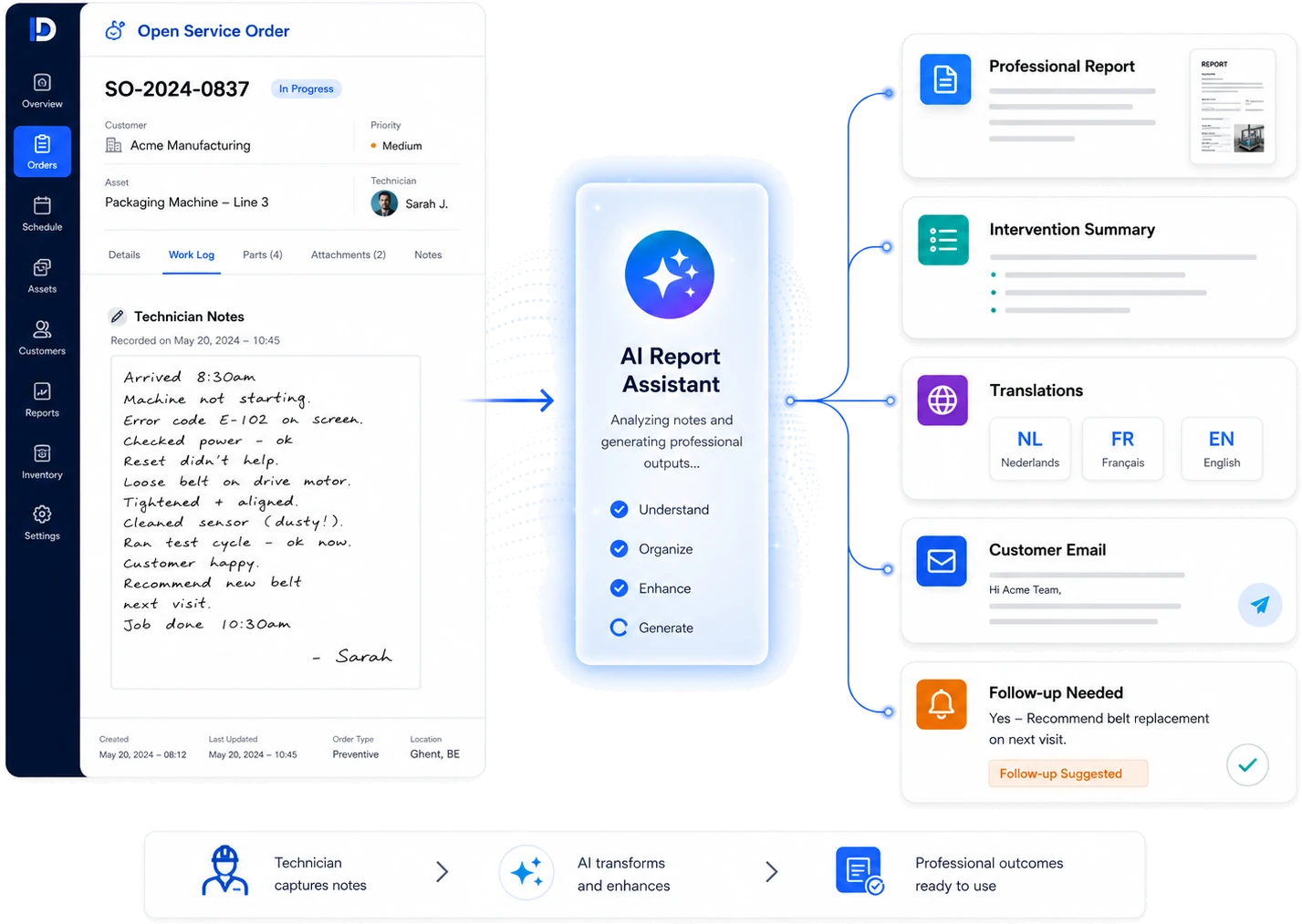
- Rewrite reportRaw notes become a short, professional intervention report.
- SummarizeAn internal summary of two or three sentences, for quick follow-up.
- Translate NL / FR / ENThe report beside its translation, for bilingual customers and teams.
- Draft customer emailA proposed, polished email to the customer about the intervention.
- Analyze follow-upIs follow-up needed? The assistant estimates urgency and proposes an action.
Built-in safeguards
- Never sent automaticallyThe assistant never sends anything itself. Every result stays a proposal you edit or discard.
- No invented factsThe assistant adds nothing of its own and only acts on your explicit request.
- Fully traceableEvery AI action is logged and the administrator chooses the AI provider.
For the business owner
Everything in view, without chasing updates
Two dashboards give you the full picture live: how the workday is going and how the business is doing. From revenue and margins to cash flow and open invoices.
- Revenue, gross profit and margin in real time
- EBITDA, EBIT and net profit per period
- Cash-in and cash-out at a glance
- Customer receivables and supplier payables tracked
Pricing
One complete Service Suite, one price per user
No packages and no features held back for a more expensive plan. Every user gets the complete suite; the only choice is how you are billed.
Annual billing
€50
per user / month
Billed annually
The complete Service Suite, for every user
Monthly billing
€75
per user / month
Billed monthly · 12-month contract
The complete Service Suite, for every user
Implementation from €950
Final implementation cost depends on your workflows, migration, integrations and configuration requirements.
All prices are per user per month, excl. VAT, from 2 users. Implementation is quoted separately based on your scope.
Frequently asked questions
Questions? Clear answers
Everything you want to know about what Digitalnatie Service Suite does and who it's built for.
What is Digitalnatie Service Suite?
Field service software for service companies: you plan interventions, direct technicians through a mobile app, track customer installations and stock, and turn completed work straight into reports and invoices — all on one platform.
Which companies is it built for?
Belgian service, maintenance and installation companies: heating and HVAC, electrical, plumbing, facility and maintenance, repairs and breakdown work. In short, any company managing technicians, planning, stock and invoicing.
Do my technicians need a separate app from the app store?
No. The mobile app installs straight from the browser onto the phone and opens full screen like a regular app.
What happens when a technician has no network?
The app keeps showing the data already loaded, even without a connection — in a basement or a plant room, for instance. As soon as the network returns, the entries are synchronised. Functions that need a server connection remain limited offline, of course.
Can I manage maintenance contracts?
Yes. Maintenance contracts automatically generate recurring interventions (monthly, quarterly or annually) straight into the planning.
How does invoicing work?
Completed interventions, recorded hours and used parts are ready to invoice. You check, confirm and send, without retyping anything. Quotations, purchasing and payment follow-up are on the platform too.
Ready to modernize your service operation?
Book a demo and see how Digitalnatie Service Suite brings planning, field work and invoicing together in one platform.
Contact
Schedule an online meeting with an expert
Discuss your operation, team size and service process. We'll show which setup fits your business best.