Planning & service orders
Plan every intervention,follow every technician.
Digitalnatie brings requests, planning, the working day and work orders together in one system. Your office keeps the overview, your technicians know exactly what is waiting, and your invoicing follows automatically.
Product tour · No account needed
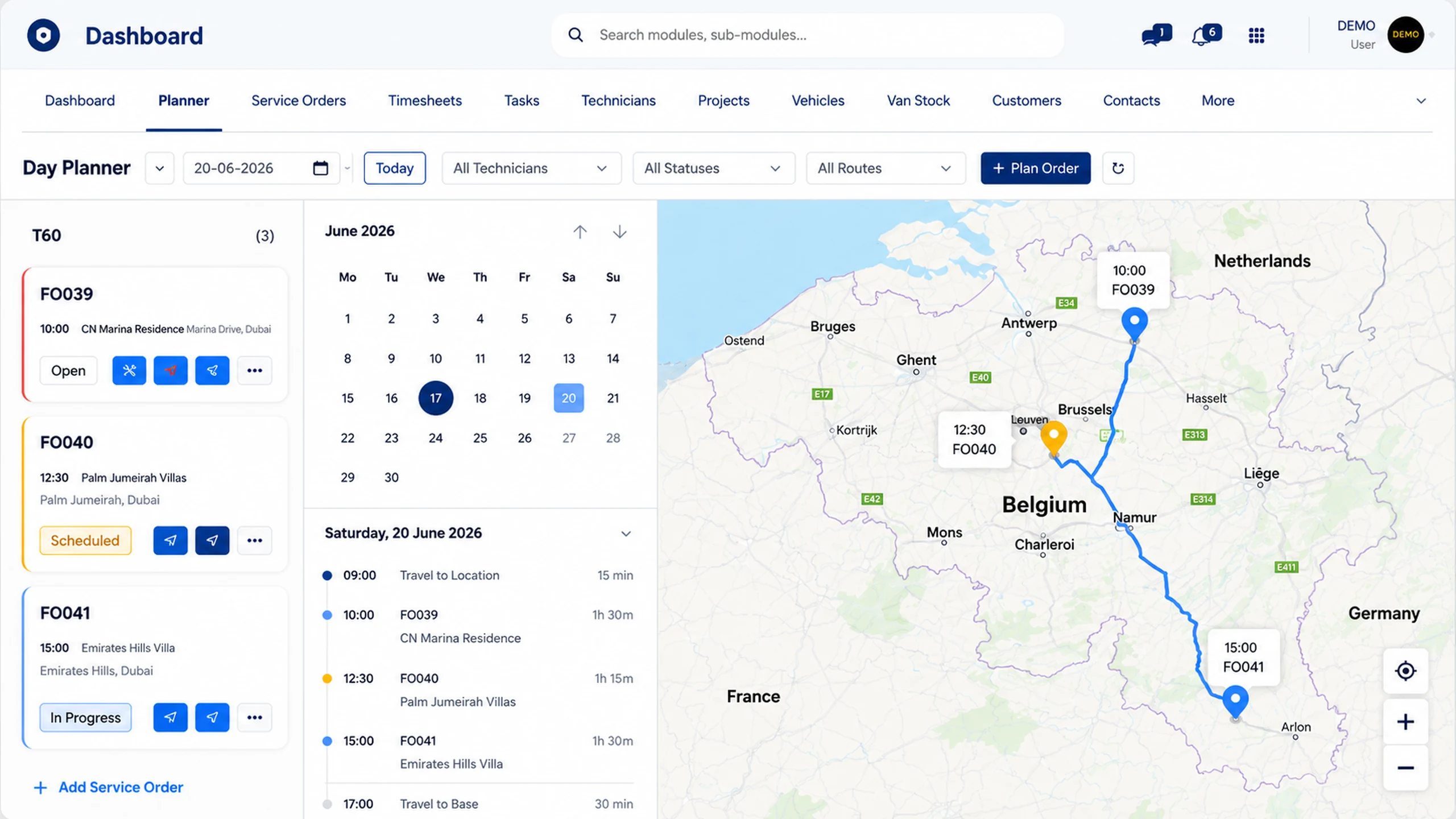
From request to invoice
From customer request to invoice in one workflow
Planning, technicians, work orders and invoicing stay connected in one process. Your team works faster, with fewer mistakes and no double administration.
- 01
Capture the request centrally
New requests are entered quickly and consistently in one central overview.
- 02
Prepare the service order
Link the customer, site, installation, priority and work description to the job.
- 03
Assign the right technician
Allocate the job based on availability, skills, region and vehicle.
- 04
Align planning and route
Plan time, duration and visit order, and adjust the day's schedule in a few moves.
- 05
Follow execution live
Track departure, arrival, progress and changes straight from the office.
- 06
Close work order and invoice
Process hours, parts, photos and the signature, then send it all into invoicing.
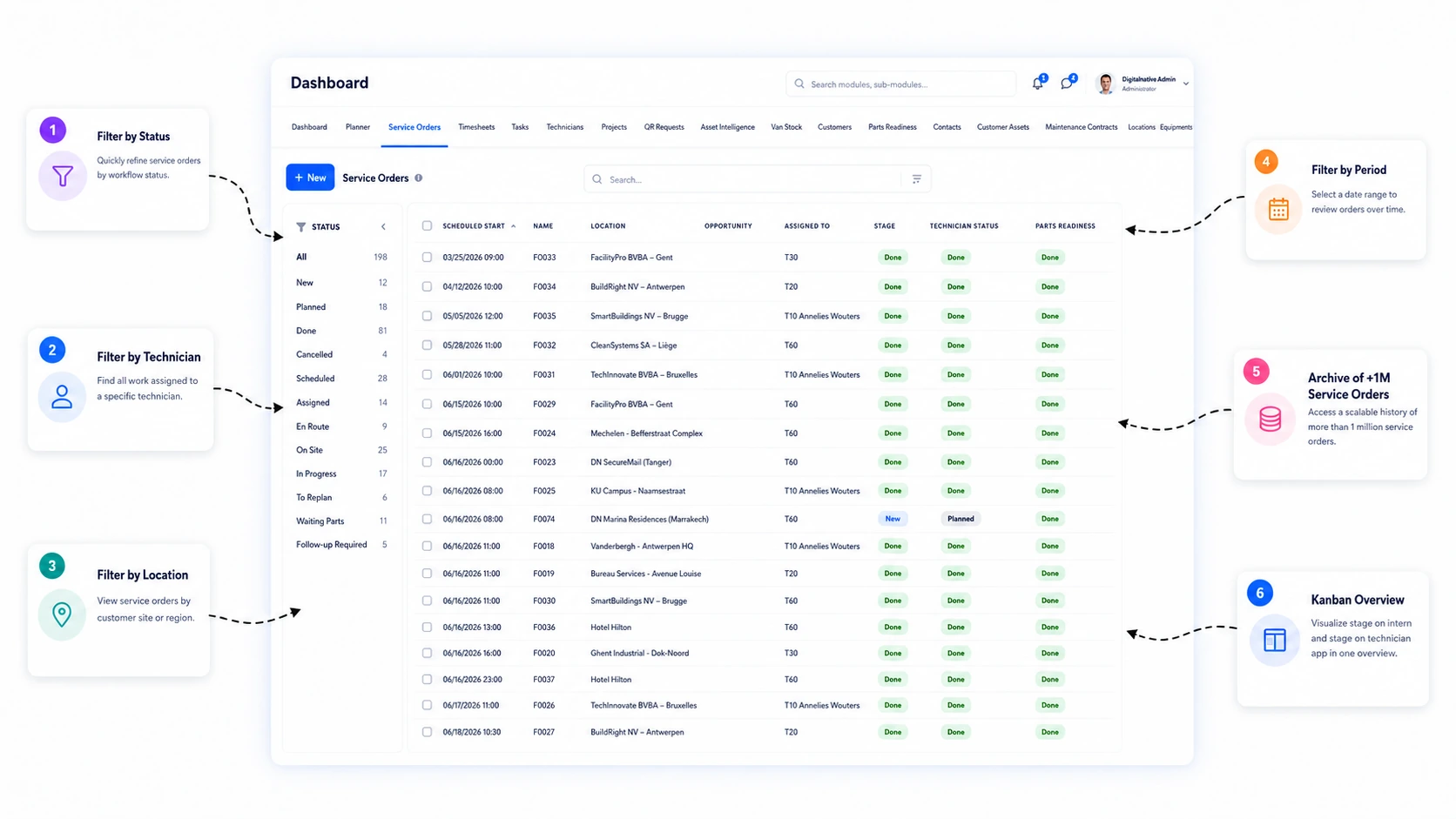
Service order overview
Every intervention in one central work overview
Manage new, scheduled and ongoing service orders from a single overview. Filter quickly by customer, status, priority or technician, and create a new job in a few clicks.
- Constant view of open, scheduled and ongoing jobs
- Fast filtering by customer, status, technician and period
- Create service orders straight from the overview
- Less searching, more control in the office
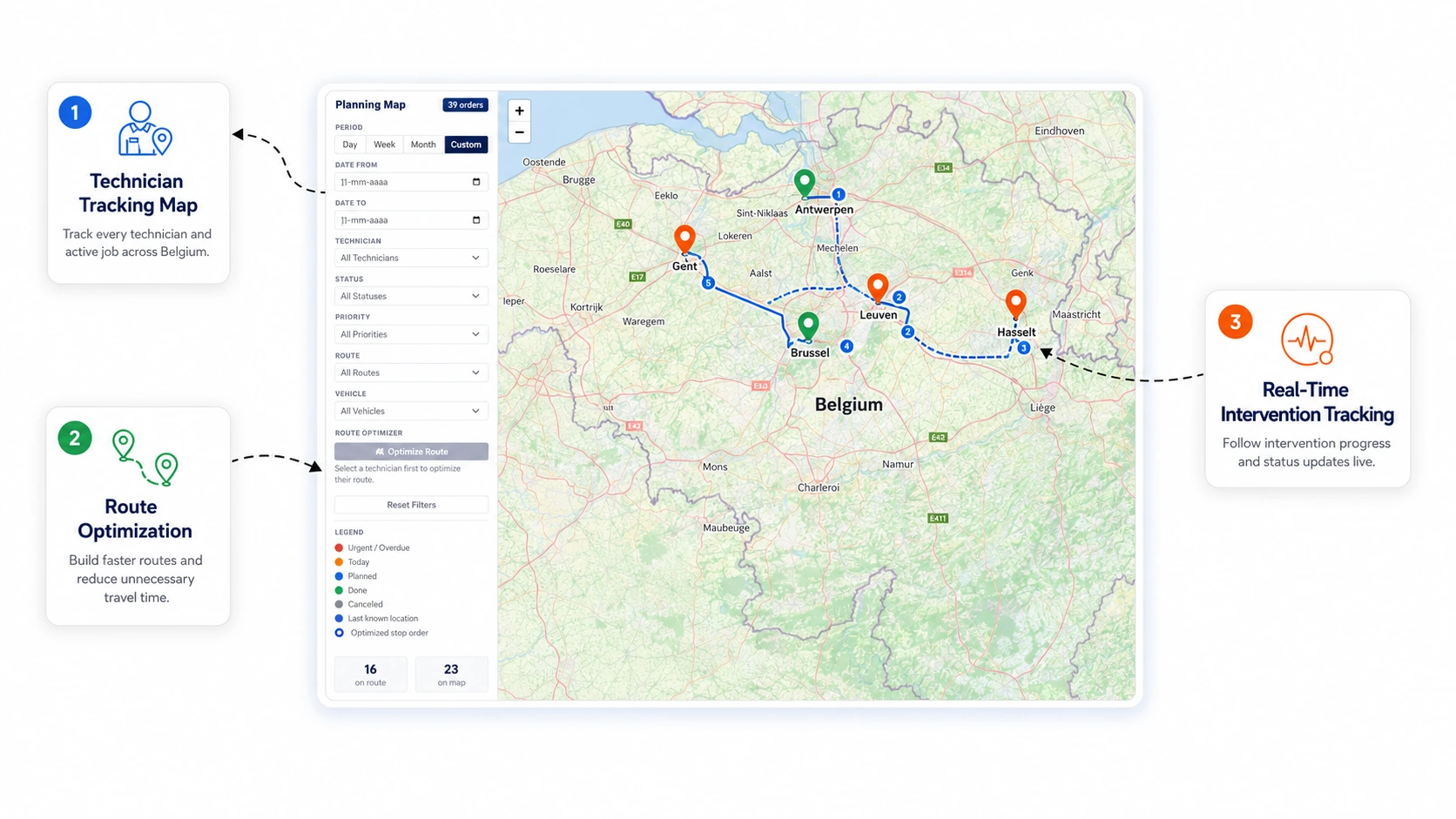
Planning & map
Plan smarter with the map, the day and route insight
Combine planning and map in one screen. See where interventions take place, direct technicians more efficiently and optimise the visit order for a smoother working day.
- Map view of every scheduled intervention
- Faster dispatching by region and availability
- Better route order with less time lost
- More clarity for planners and dispatchers
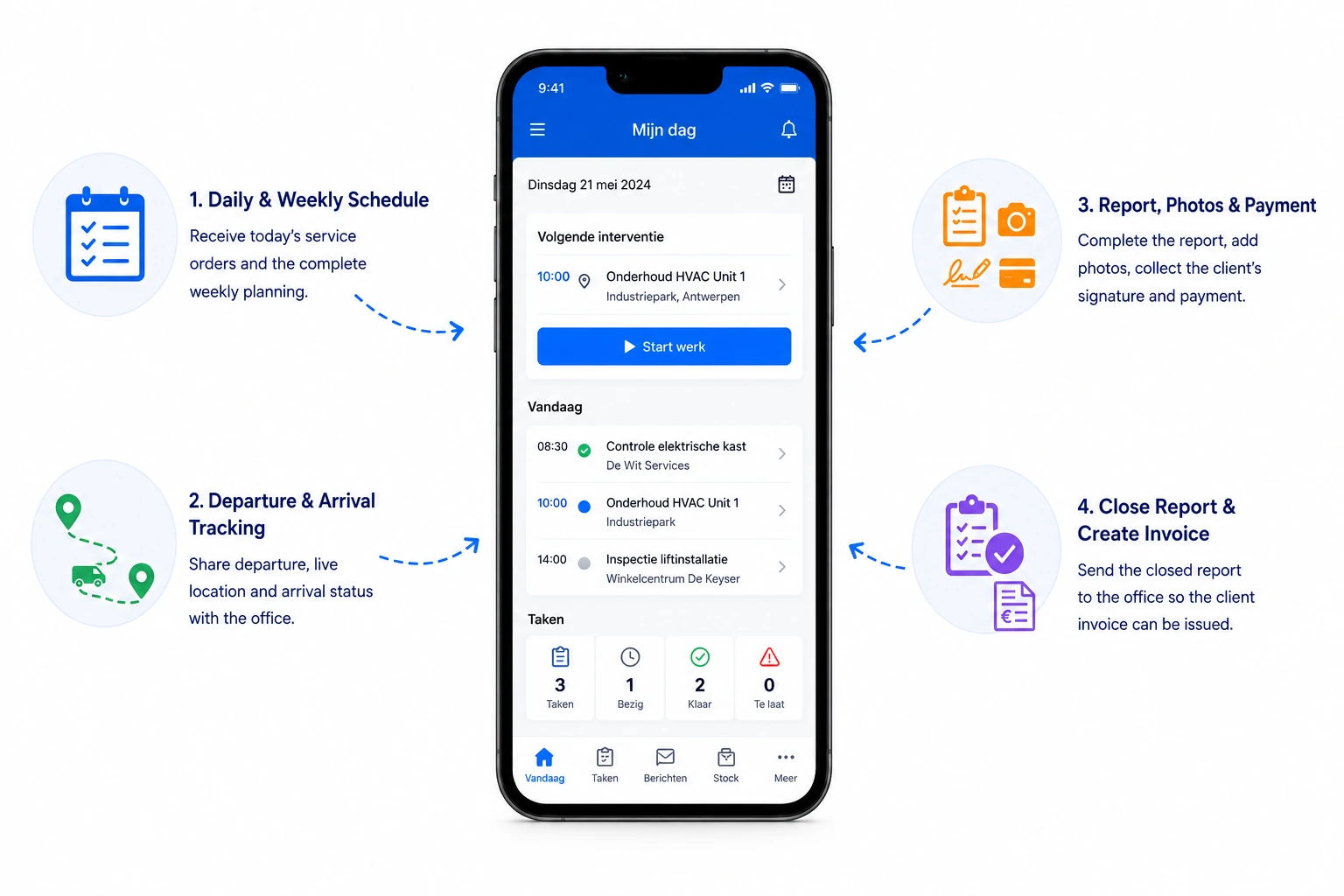
Mobile app
Give technicians everything they need in the field
Let technicians receive jobs, update statuses, log hours, add photos and have work orders signed, straight from their smartphone.
- A clear day schedule on mobile
- Status updates straight from site
- Photos, work order and signature in one flow
- Less paperwork, faster closure
Field service scheduling: more than a calendar with names in it
A calendar tells you who is where. It does not tell you whether the day is achievable, whether the technician is qualified for that unit, whether the part has arrived, or what gives way when a breakdown lands at ten in the morning. That gap is exactly where scheduling fails in a service business.
Schedule against capacity, not against boxes
The schedule shows load and availability across the whole team side by side, so you can see where there is room before promising anything. Jobs are assigned to a technician with the right qualification and the right area, not to whoever appears first in the list.
Teams running both projects and call-outs plan them in the same view. Otherwise two schedules compete for the same people and nobody sees it.
The service order is the work, not the appointment
Behind every scheduled line sits a service order: which customer, which site, which unit, what has to be done and what is needed. That order travels to the technician's app and comes back completed.
So "scheduled" never means "done": for each job you can see whether it was completed, partly completed or blocked, and why.
When the day changes
An urgent breakdown means reshuffling, and reshuffling normally costs phone calls. Here you move the job and the technician sees the change in their app, with the new order of their day.
Travel counts: grouping jobs that sit close together saves kilometres that earn nothing.
Where it makes the biggest difference
- Installers in HVAC, plumbing, electrical, security or roofing
- Teams switching daily between planned maintenance and emergency call-outs
- Companies with technicians spread across several regions
- Organisations where projects and service draw on the same people
Frequently asked questions about scheduling and service orders
What is the difference between an appointment and a service order?
An appointment is a slot in a calendar. A service order carries the work itself: customer, site, equipment, the task, the parts needed and the work order that comes back completed. The schedule plans service orders, not loose appointments.
Can the planner see whether parts are ready before departure?
Yes. Each job shows whether the required parts are available or prepared, so a technician does not travel out only to return having achieved nothing.
How do emergencies fit between planned work?
You add the job and move what has to give way. The technicians affected see the revised order in their app, with no round of phone calls.
Can projects and service share one schedule?
Yes. Both consume the same people and the same hours, so they belong in the same view; otherwise you schedule the same capacity twice.
Bring your service operations together in one system
Discover how Service Suite fits your team, workflow and growth plans.